Learn how to work with the Optical Character Recognition (OCR) functionality for NetSuite vendor bill processing, available through Advanced AP for NetSuite and NetSuite Advanced Entity Portals!
Date
September 17, 2026
Read
5 min
OCR Vendor Bill Creation | Demo | Advanced AP for #NetSuite
Advanced AP for NetSuite includes OCR (optical character recognition) functionality that enables vendors to upload bills from the vendor portal, straight into your NetSuite account!
Uploading a Bill in the Vendor Portal
Whether you are using the vendor portal as a part of the NetSuite Advanced Entity Portals solution, or as part of Advanced AP for NetSuite, your vendors can upload documents to your NetSuite account through an OCR tab available in the vendor portal.
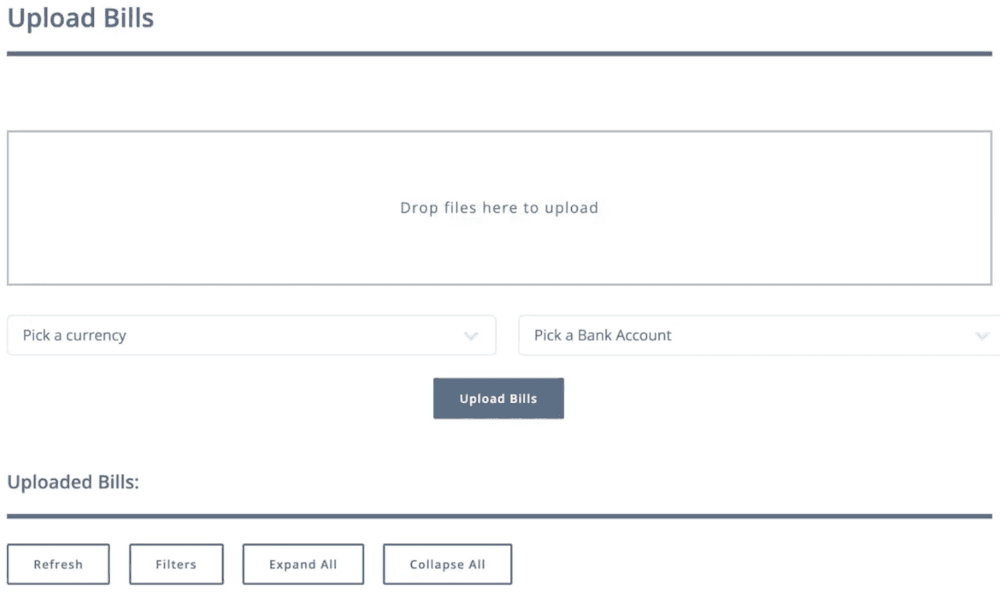
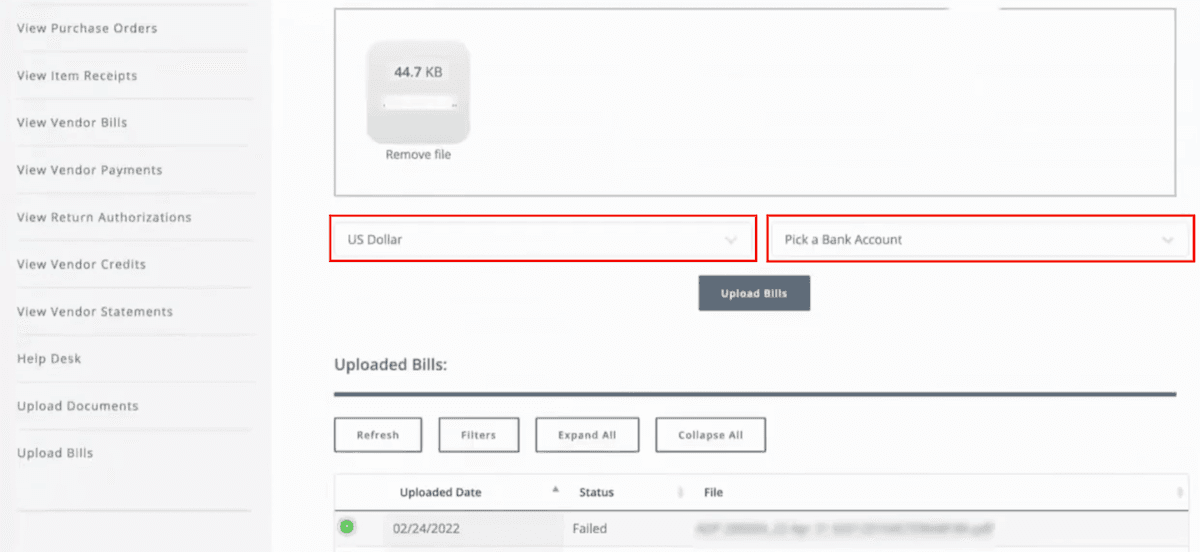
Vendors simply need to drag and drop their documents into the file upload area of the portal, select a currency and a bank account, and click Upload Bills. The vendor can see all the bills they have uploaded in the past by scrolling down to the Uploaded Bills section.
Once a bill has been uploaded, the OCR engine will look at the document, scrape the data out, and create a staging record within NetSuite. If the staging record passes all the validations you have in place, it creates a vendor bill transaction within NetSuite. But if there is an error, it stops at the staging phase, and then someone from the company can go in, look at the errors, correct them, and kick off the rest of the process.
Now, this works with any workflows you set up within NetSuite. It won't interfere with any two-way matching, three-way matching, or any rules you have set up.
Uploaded Bills in NetSuite
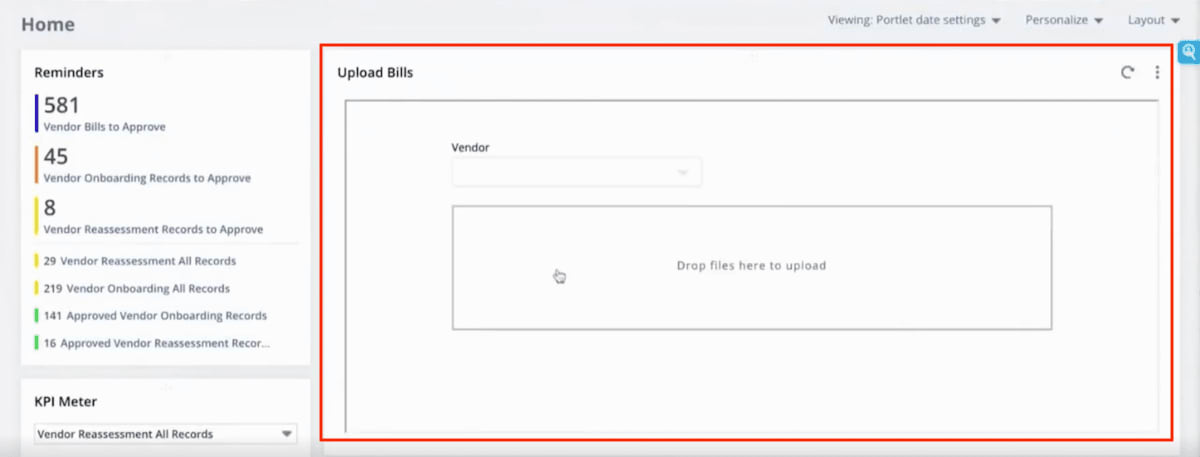
In NetSuite, if I log in with a procurement manager role, you can see we have set this up so that the uploaded bills display right here on the NetSuite dashboard.
Additionally, if a vendor sends a bill to you via email rather than using the portal, the procurement manager can drag and drop the vendor bill into an Upload Bills portlet on the dashboard to send it through the same OCR vendor bill creation process. You don't need to use the vendor portal to take in the bills through the OCR engine.
So, now that we've looked at uploading a bill, let's take a look at a successful bill and a failed bill.
Successful Vendor Bill Creation
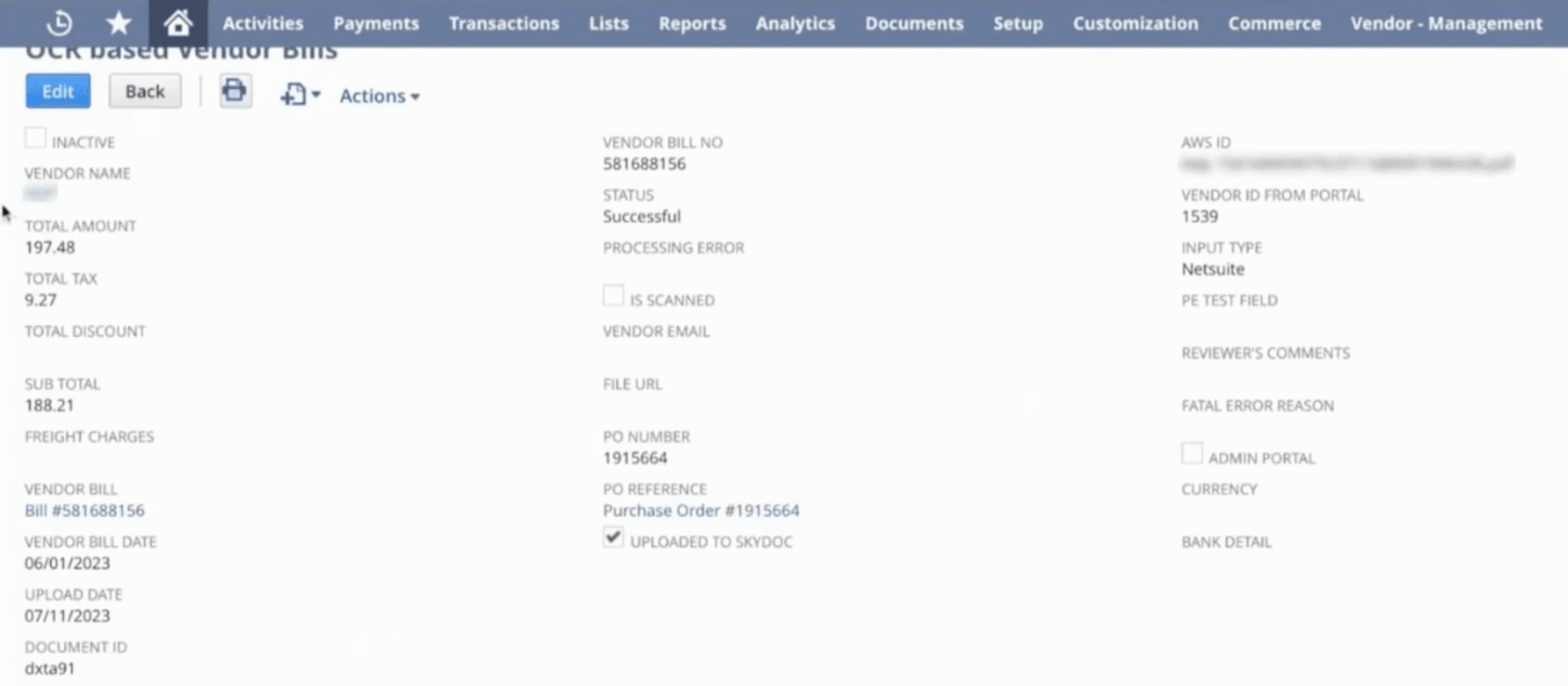
So, let's look at that bill that we just uploaded. It shows you the vendor's name, the amount, the tax, and the subtotal. The OCR engine scrapes the PO number from the document, and if it finds a PO, it links the PO.
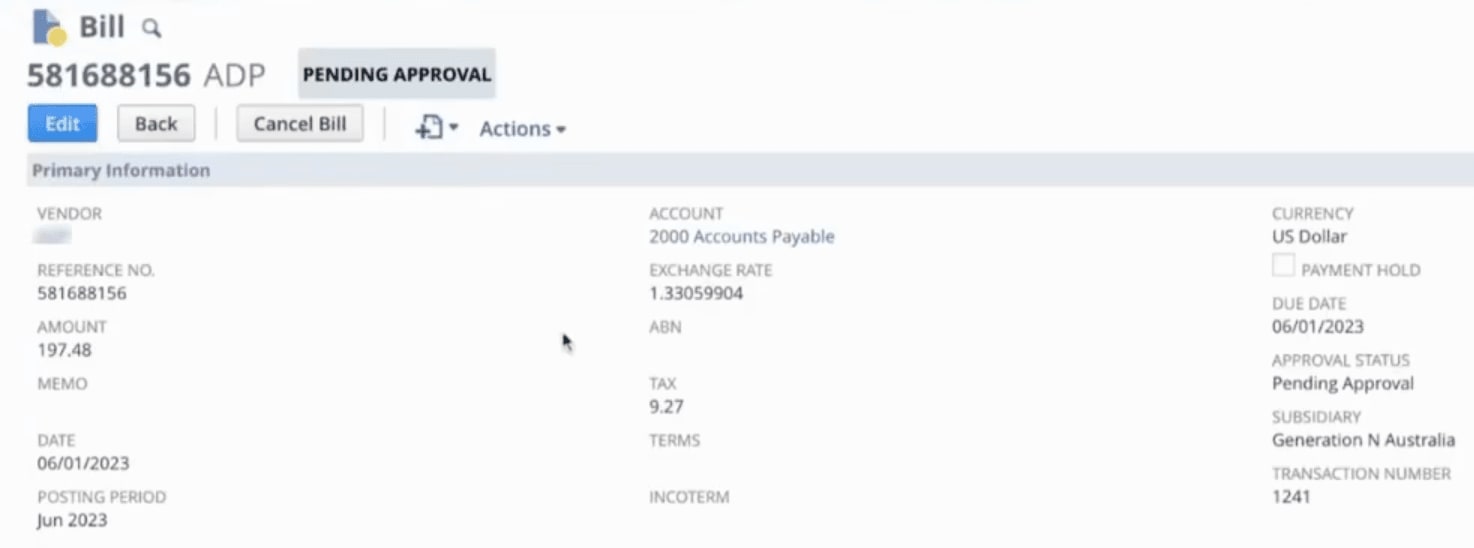
It tells you that the status is successful, and links to the vendor bill, which we can open and review as needed.
The OCR engine does create the bill record with the status of pending approval, so you can have workflows to either automatically approve it, or somebody can go in and manually review the vendor bill and approve it.
Then, if you scroll down and look at the NetSuite Document Collaboration tab, you can see that after OCR scraped all the data from the document, it uploaded the original document here.
Each document that is uploaded to NetSuite through the OCR is retained within NetSuite Document Collaboration, so if you ever need to review what was sent to the OCR engine, you can do that.
Failed Vendor Bill Creation
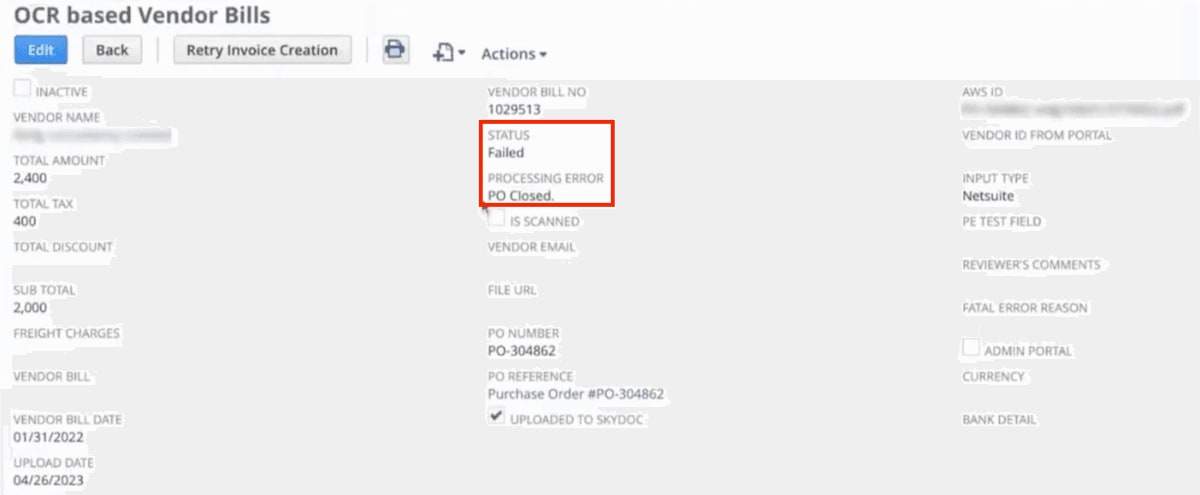
Now, let's look at a failed bill. It tells you that it failed, and it also indicates why it failed under the processing error: In this case, the PO is closed.
So in this account, we have a rule configured that says, 'If the PO is closed, flag an error and do not create the vendor bill'. Similarly, you could set up rules that say, 'If no PO is found, do not create the vendor bill'. In this way, you can configure your rules as to why a bill should fail.
When a bill fails and stops at the staging phase, your team is able to come in, to review and resolve the processing error, and kick off the process again to create the vendor bill (if applicable).
Don't have Advanced AP for NetSuite?
The functionality outlined in this article is made available through the Advanced AP solution for NetSuite. Interested in learning more about the solution, including staged vendor onboarding? Check it out!
Hopefully, this post gives you something to work with while trying to understand NetSuite and what it can do for your business. If you have any questions about this solution or NetSuite in general, feel free to contact our team at Anchor Group! As a Certified Oracle NetSuite Alliance Partner, we're equipped and ready to help with any NetSuite project or question you might have!
AP Automation for NetSuite is built on top of the NetSuite Advanced Entity Portals platform and incorporates the vendor portal, Document Collaboration, and OCR for vendor bill processing, as well as a more complex vendor onboarding piece.
Advanced AP for NetSuite lets you set up one-stage, two-stage, and three-stages for vendor onboarding! Learn about this staged onboarding and how to set it up.
Your AP clerk just spent 12.5 hours this week typing invoice data into NetSuite. That's 50 hours per month—more than a full-time job—on work that modern OCR technology should handle automatically. With manual invoice processing costing organizations significantly more than automated systems, the business case for NetSuite Services that include intelligent document capture has never been clearer. This guide explains exactly how NetSuite OCR works, when native Bill Capture is enough, and when you need to consider more advanced solutions.