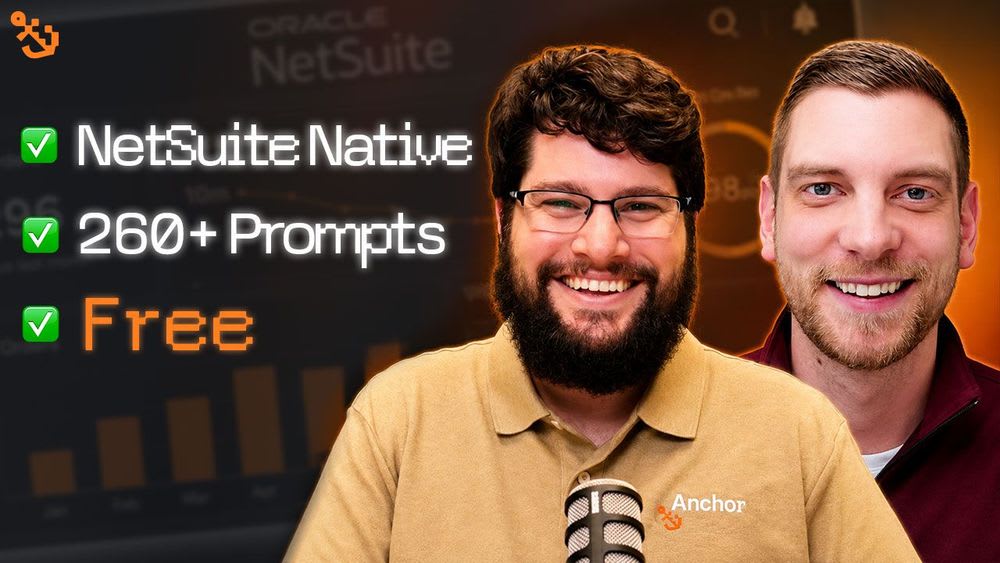
Sonar AI Just Changed How NetSuite Works
Sonar AI Just Changed How NetSuite Works
Follow Us On LinkedIn!
- Caleb Schmitz, CRO at Anchor Group
- Michael Mueller, eCommerce Account Executive at Anchor Group
- Anchor Group (Company Page)
Podcast Recap:
Sonar: the free AI tool Anchor Group built inside NetSuite
Most NetSuite teams know AI could help them, but connecting it to NetSuite usually means wrestling with raw data, field IDs, and guesswork. In this episode, Michael talks with Caleb about Sonar, a free AI tool Anchor Group built directly inside NetSuite, and how it removes most of that friction.
What Sonar is
Sonar is a bundle that installs inside your NetSuite environment and connects to Claude, with the option to use other AI models. Because it installs as a bundle, it inherits the same roles and permissions as the person using it, and it can read, create, and modify records, not just pull reports.
Why the prompt library is the real value
The bundle ships with more than 260 NetSuite-specific prompts. Instead of connecting a generic AI tool and teaching it how NetSuite is structured, the prompts already account for field values, field IDs, and the SQL queries needed to pull clean data. As Caleb put it, that gets you past the first layer of setup effort and makes the tool effective right away. Sonar runs on your own Claude subscription and API keys (it needs a paid Claude plan, not the free tier), and it is designed to use tokens efficiently. The tool itself is free for the NetSuite community.
A real use case: getting the lay of the land
One of Caleb's most common uses is post go-live support. When Anchor Group takes over a NetSuite account they did not build, Sonar produces a "lay of the land" report on existing customizations and setup, often surfacing things the client would not think to mention. That saves hours of manual script review and gives consultants, admins, and CFOs faster context. There are also prompts built for reporting and board meetings.
How to keep your data secure
Caleb spent a good part of the episode on controls, and it comes down to two things. First, lock down roles and permissions: if you only want reporting, create a view-only copy of your role so the AI cannot change records. Second, choose an AI provider whose privacy policy you accept, since you are passing data to it. Most of Sonar's work runs as SQL queries that pull limited fields (company name, industry, amount) rather than your most sensitive customer data, but you should review what leaves your system based on your industry.
Bottom line
Sonar lowers the cost and complexity of bringing AI into NetSuite. The prebuilt prompts do the heavy lifting of "speaking NetSuite," so admins, consultants, and finance leaders can get useful answers without a long setup curve, as long as roles, permissions, and your AI provider's privacy terms are set up correctly first.
Listen to the full episode:
Anchor Group Podcast on Spotify
Anchor Group Podcast on YouTube
Need help connecting your systems?
As a BigCommerce Certified Partner and Oracle NetSuite Alliance Partner, Anchor Group helps merchants build and integrate e-commerce ecosystems that scale. Get in touch to see how we can help.
Podcast Transcript:
Michael (00:00)
Hey everybody, thank you for tuning in to this episode of the Anchor Group podcast. Today we have an exciting one that's AI focused. Anchor Group now has an AI tool called Sonar, so on today's episode, Caleb is going to walk us through what Sonar is and how it can impact your work in your NetSuite environment.
Caleb (00:19)
Great little tee up there, Michael. What Sonar is, is a bundle built inside NetSuite. It directly ties to Claude as the primary one. We've also connected it to multiple others, but Claude is the one we like to focus on most because it tends to produce the best data output when interacting within NetSuite. There are some other options to connect AI tools with NetSuite using NetSuite's MCP connector, and that's really an external way to connect to the data. The nice thing about the bundle is that it's directly inside NetSuite, but the most valuable piece of it is there are roughly 260 plus different NetSuite premium prompts within the bundle. That allows for very NetSuite-specific, NetSuite-tailored prompts for NetSuite environments that are pre-built. Different sets of those help get data out of NetSuite better.
Part of that is already within the prompts, defining the field values better. Sometimes if you just connect an MCP connector to NetSuite, it's guessing what the field values are, the field IDs, and the architecture of NetSuite. The prompts already get through some of that complexity. If you've ever done an MCP connector and made some calls with NetSuite, it's taking SQL queries and trying to figure out how to extract the data and read it the right way, in the right format, to match what you're inquiring about. The prompts help get through a lot of that initial layer of effort and make it much more effective right away. So that's probably the biggest number one value add: a huge library of built-in prompts. And it's very easy to use yourself.
The nice thing about it is it connects with your own Claude and your own API keys. You have to make sure you have the right subscriptions within Claude; it doesn't work with the free Claude accounts. But the way it's been designed, it's been designed to be really efficient with token usage. That's the way the data is being served up and read prior to it sending to Claude and going back and forth, so it's a little better efficiency than doing direct API calls all the time, which would be really inefficient and use up your token usage. So it leverages the subscription you're already paying for. Sonar is a free solution for the NetSuite community. There's really no con, other than being able to leverage a free tool, get access, and start unlocking those premium prompts. I think that's probably the biggest value add of the entire solution. A lot of times an MCP connector can do many of the same things, but there are more features being iterated on within the bundle that are very NetSuite-specific, rather than being a broad solution like Claude tackling broad AI use cases. It's really honed in on NetSuite specifically, and as features and even more prompts continue to be released, it's going to be particularly effective for the NetSuite ecosystem.
So in a nutshell, the next part of this is, what are some example use cases? We have an upcoming webinar on June 30th, 2026, where we're going to go through them, along with a number of other webinars and videos like this where we're actually going to demo it, demo different use cases and different data sets. But I'll give you an example. One of the most common scenarios, on our NetSuite managed services and implementations, particularly in post go-live where we're coming in to support a new client and optimizing NetSuite, it's really good to get a lay of the land across that NetSuite environment, because I don't know who's been in there before or what customizations have been built. There could be tribal knowledge and past people who have left, so our new points of contact may have no idea what's going on and provide us the context that's important for us to gather requirements and do proper testing. We can run different queries and prompts that we've created that allow us to get a pretty good lay of the land: what are the customizations, and what is a summary of what's inside that NetSuite environment that may impact the other work we're about to do.
This Sonar gives us that lay of the land report, and it often catches things that the client wouldn't even think to bring up to us that may impact it. It gives us more awareness into a fresh environment without having to spend hours and hours of research trying to figure out what each script does and what it's supposed to do. So that's a very effective way to get a loose idea of what's going on in the environment. That would be for us as consultants one of the most important things. It's also very effective for NetSuite admins to have that functionality, or if you're a CFO and you want to figure out what's going on in the NetSuite environment. There are a lot of prompts for board meetings and things like that too. So it's an interesting tool that leverages the strengths of AI, recognizes some of the weaknesses it has if you just use the MCP connector, and works through those iterations. But in a nutshell, that's Sonar AI. It's a pretty cool free tool that we're trying to bring into the community, in partnership with my friend Tim Dietrich as well. So that's been a fun project to work on.
Michael (06:07)
Caleb, awesome explanation of Sonar to this point. Real quick, I'm just curious, how easy is this tool to use for a NetSuite admin who's just starting to get an understanding of AI and their NetSuite environment? How easy of a tool is it for them to actually use day to day?
Caleb (06:23)
It's as easy as any other chat that you have with AI. The value-added part is that it's translating NetSuite language into the prompts and training it within that model already, so you don't have to talk back and forth to educate your AI agent as much. You don't have to educate it to the degree that you would otherwise. A lot of times, if a NetSuite admin or CFO or somebody in another title as an end user is connecting their Claude with the MCP connector into NetSuite, then you have to start educating it: here's what this transaction field means. The agent that's already been created has done a lot of that groundwork already, so you have to do less back and forth correcting it and helping it understand. It gives you a much better starting point in that NetSuite environment, so you don't have to warm up that agent as much to get it familiarized with the environment. That's one of the nicest components, in addition to the prompts: it helps save time because you don't have to go back and forth and educate it on how to read that data better.
Michael (07:35)
Definitely. Now, does Sonar live within a NetSuite environment, essentially on the same browser screen, or is there a separate browser screen somebody needs to have open?
Caleb (07:54)
It installs as a bundle, which means it lives within their NetSuite environment. It inherits the same roles and permissions that their user has. Now, it does have the ability to actually write things and create records inside of NetSuite and to modify things; it's not just read-only. So one of the best ways to secure a NetSuite environment and protect against AI, if you need to create some good controls, is to create separate dedicated roles. There are some pre-built ones out there that are view-only roles. If I were wanting to lock it down from having the AI agent make any changes, and just be doing reporting and inquiries related to the environment, I'd probably create a copy of my role and toggle everything to view-only access rather than the ability to edit or create. You can talk to your consultant if you don't know how to do that. We've also written a number of articles on modifying roles and permissions. But at the end of the day, if you want to protect against that risk, if you don't know how to control it, or if you're an IT admin worried that your sales rep is going to change a bunch of sales orders because technically their permissions are to create sales orders or estimates, then I'd probably lock it down. Create processes that say, hey, sales rep, whenever you're using this AI agent, you have to toggle to your view-only sales rep role so that you can view that data. So there is some risk you have to navigate, particularly around your roles and permissions. But that doesn't change if those are the same roles and permissions you're giving that team member to do via CSV import. You always want good practices with roles and permissions, whether it's with AI or not. It's another degree of accidental ignorance that could happen if you don't do a view-only. I'd even say for IT admins that normally have an admin role, it would be good practice for them, at least initially, to create a copy of their admin role and toggle everything to view-only as they get familiar with how to use that chat functionality and run those prompts. A lot of the prompts are read-only prompts anyway.
Michael (10:06)
Caleb, those are really good call-outs on the permission levels, just making sure that once this is installed, people have a clear understanding of who has permission to do what. But that also leads to another question about data security. In the age of AI we're in now, many people are concerned about AI getting access and potentially leaking private information. How does Sonar handle data security?
Caleb (10:36)
It is a real risk you have to navigate, and most companies have an obligation to protect that privacy. It largely comes down to which AI solution you choose and the privacy policy of whatever vendor you're using for AI and connecting it to. We at Anchor Group have pretty strict policies around that because we protect data very strictly and have policies we've written internally for our own consultants. I'd encourage many clients to do that too. The most important thing, because this is just using the AI tool of your choice, is to define which one you're accepting and that has the privacy policy that's acceptable to you. My experience so far is that Claude has one of the better ones, but I know a few days ago they changed their privacy policy, so I need to read through it. There are going to be a number that your IT team and your leadership team should go through and make sure you have approved, because you are passing data for it. Whether you're copying and pasting data, taking Excel files and loading them into your AI of choice, or it's directly fetching some portion of data out of NetSuite to interact with in order to make decisions, in either scenario you're touching data.
One thing to note is the primary thing it's looking at and performing is SQL queries. The sensitive data you're working with, let's say I want to look at all my customer data, I may isolate that query to just the customer names in this industry that have done at least a thousand in sales. The fields you need to sort through are not necessarily pulling that much sensitive information, other than the company name, the industry, and the amount. So what you're feeding the data, after it's figured out the SQL queries it needs and the field IDs, is usually less sensitive than customer-specific data. It depends on your industry. If you store really sensitive customer data besides the company name and what they purchased, you'll have to make those calls for yourself. But it's making a SQL query, extracting that data, and then looking at that data to interact with. If you wanted to build a custom report for industry, customers over a thousand, maybe location, those are the data points you're feeding into AI to generate a report. So it's isolated in that circumstance. I'd say two things: make sure the roles and permissions for each of your people who are going to use this tool are locked down to where you'd be okay with that view-only data being sent to your AI of choice, and make sure that AI solution of choice has the privacy policy you can accept.
Michael (14:25)
Caleb, thank you for giving everybody a great rundown of how Sonar works and how it can positively impact people as they utilize their NetSuite environment. Really, Sonar is a tool that's going to help be an AI coworker for people in the NetSuite environment to make sure they get the most bang for their buck out of their NetSuite license. So Caleb, as we wrap things up here, where can people go to find more information about Sonar?
Caleb (15:05)
If they're watching this prior to June 30th, 2026, they should register for our webinar, which I've published on our LinkedIn channels. If they're coming to this video after that date, then go to our website and go to our Sonar AI product page. Within that page you can request the free bundle, which I will provision. I or one of my team members usually perform the install. We'll schedule a 30-minute call just to make sure you got up and running okay and answer any final questions, but you're really off to the races. It's just one call where we'll get on a meeting with you and make sure you go through the bundle install process okay. It's really simple, it's not very hard. We'll have some quick dialogue, I'll make sure you know what types of prompts to use and give you some ideas along the way that tee you up to be successful right away rather than just exploring. I want you to explore, but I also want to tee you up for success and getting some good value add out of it. On that landing page you can request the free bundle, I'll schedule an install call from there, and we'll get it provisioned. Then you're off to the races. Nothing too complicated.
Michael (16:16)
Sounds very simple to get started. So for those of you listening to this, if you want AI better incorporated into your NetSuite environment, go check out Sonar.
Where to Listen to the Podcast
Find more episodes of the Anchor Group podcast!
Oracle NetSuite Alliance Partner, BigCommerce Certified Partner
As both a BigCommerce Certified Partner and an Oracle NetSuite Alliance Partner, Anchor Group is ready to handle BigCommerce and NetSuite projects alike! Whether you already have one platform and are looking to integrate the other, are considering a full-scale implementation of both platforms, or simply need support with ongoing customizations, our team is ready to help answer any questions you might have! Get in touch!

Related Articles: