NetSuite Admins
Get help with reporting, field setup, troubleshooting, SuiteQL, and the repeat requests that keep appearing like dandelions after rain.

NetSuite App
Your new AI coworker inside NetSuite
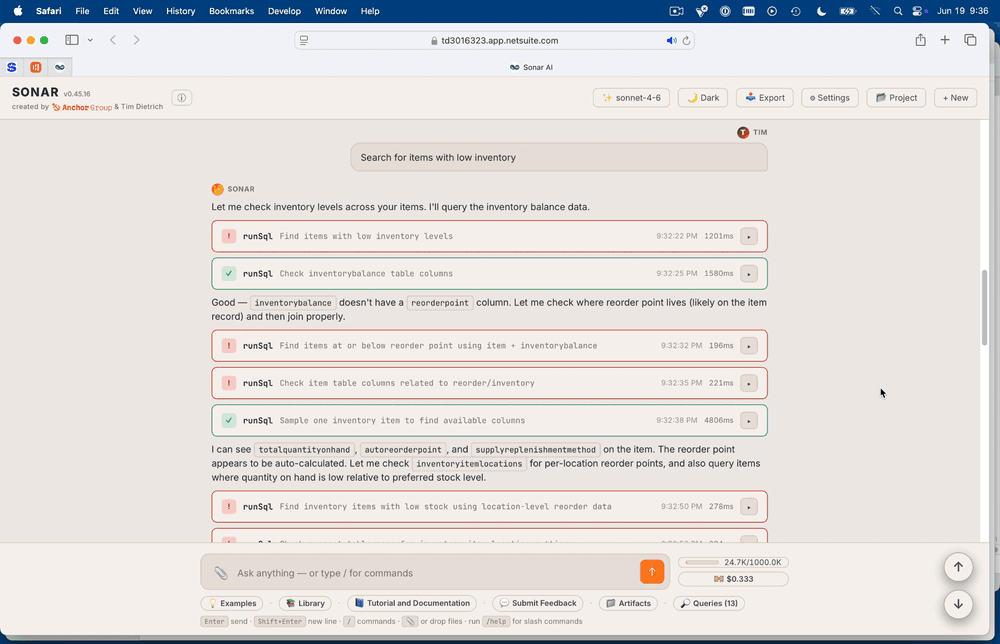
Sonar is an AI assistant that works inside your NetSuite account, helping you query data, run reports, inspect records, troubleshoot scripts, and complete everyday NetSuite work through plain-language chat. Smarter, faster, more informed reports and diagnostics at your fingertips (no NetSuite scavenger hunts or dev work required).
Capabilities
What happens when you cross NetSuite nerds with the strong desire to modernize NetSuite functionality and democratize usage? (Answer: you get Sonar.)
Developed by Anchor Group and Tim Dietrich, Sonar is part of Anchor Group’s ongoing effort to help NetSuite teams work smarter, move faster, and feel less personally victimized by saved searches.
With over 265+ free and premium pre-built functions, Sonar gives users a conversational (and much easier) way to work inside every layer of NetSuite—all while operating under your existing NetSuite role and permissions.
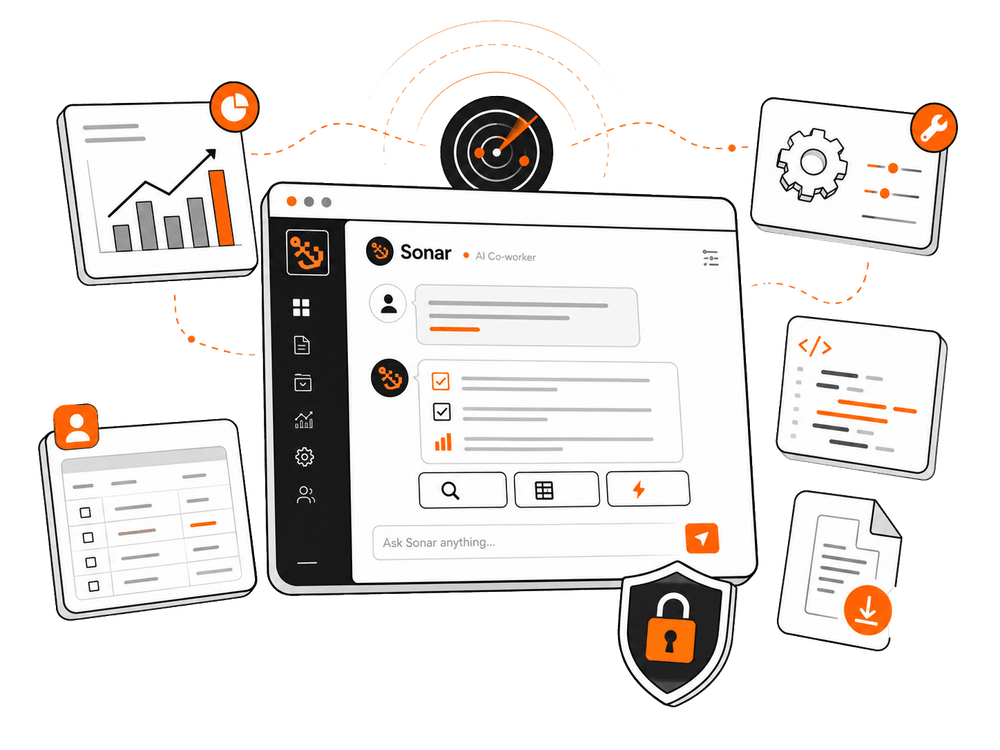

Run SuiteQL, analyze records, summarize results, group data, export save searches, and answer board-grade operational or financial questions without leaving the chat.
Sonar writes SuiteQL joining transaction and item-fulfillment status, returns the open-but-shipped list with totals — no saved search to design, no report to build.

Sonar can work with native NetSuite financial reports, helping users run the reports they already rely on instead of generating rough AI approximations.
Sonar calls the native report runner with the right period, returns the result, and offers a downloadable artifact. Real subtotals, real eliminations, no SuiteQL approximation.

Create or inspect custom fields, custom lists, records, saved searches, roles, and permissions end-to-end. Inspect, update, or extend existing customizations. Configure roles and permissions—with confirmation steps for sensitive actions. The kind of work that normally needs a one-off SuiteScript, available conversationally.
Sonar provisions the custom list, creates the field, applies it to the customer record, and confirms the change before saving. The audit trail shows it under your name.

Paste an error, ask about a script, inspect deployments, pull logs, and get help narrowing down what’s broken.
Sonar reads the screenshot, looks up the deployment, fetches recent execution logs, identifies the failing line, and proposes a fix.
Prompt Library
Sonar comes with a growing catalog of both free and paid professionally engineered prompts—from AR aging analysis and Income Statement variance to board-ready summaries and supply-chain dashboards. Pick one inside Sonar, send it, get the analysis. No prompt engineering required (but if you do want to engineer your own prompts, it allows for that, too).
Who it's for
If you’re admin, analytics, dev, operations, accounting, marketing, or anything that touches NetSuite, Sonar is your answer to a smoother, faster, easier functionality that can’t be matched.
Get help with reporting, field setup, troubleshooting, SuiteQL, and the repeat requests that keep appearing like dandelions after rain.
Run reports, investigate variances, summarize results, and pull data faster without waiting on custom reporting queues

Ask practical questions about orders, items, inventory, customers, workflows, and transactions in everyday language.
Debug scripts, inspect deployments, evaluate SuiteScript, and move faster on the “can you just check this one thing?” requests.

BUILT FOR REAL NETSUITE WORK
Yes! We’re grateful for the NetSuite community for believing in us and keeping our lights on. We also think useful, accessible NetSuite tools should actually be useful and accessible. That’s why Sonar is free to use. We do have many paid prompts available in there too, but for most people, the free ones are all that you’ll need. That means no purchasing upfront, no subscriptions, and definitely none of that “surprise! please enter your credit card and we’ll charge you in 30 days when you forget you did this” (the horror!) nonsense either.
All you need to do is request access, and you’re off to the races to start exploring what a trained AI inside NetSuite can actually do

Search for Sonar in SuiteBundler and install. The Suitelet, script record, and deployment land in your account—no file upload, no developer toolchain.

The chat UI loads in your browser. The agent is already running, signed in as you, with your permissions.

"Show me the top 10 customers by invoice total this year." "Run the A/R Aging Summary for last quarter." Sonar plans, calls the right tools, returns answers

BUILT FOR REAL NETSUITE WORK
A handful of design choices distinguish Sonar from the generic chat-over-NetSuite tools.
Curated reference documents on SuiteQL essentials, record types, and roles & permissions. Before writing a
non-trivial query or touching unfamiliar territory, the agent loads the relevant skill and follows it. NS-specific
quirks override training-data guesses.
Tabular results encode as TOON, a compact CSV-like format that uses a fraction of the tokens of repeated
JSON keys. Long results truncate intelligently with head + tail framing. Conversations near the context cap
auto-compact older turns.
Define a project with conventions, account quirks, and identifiers — "we use subsidiary 2 for US," "our SOs have a custom column called custcol_x" — and the agent reads it on every turn. Stops asking. Starts using.
The agent can hand the user a downloadable file without writing to the file cabinet. Useful for one-off exports,
generated reports, and analysis output that shouldn't leave clutter. The bytes never round-trip through the LLM.
ARCHITECTURE
Sonar is designed to run as a Suitelet on the your own account. That means every call you make executes under your own user role, permissions, and audit trail—exactly as if you did it yourself. Nothing leaves the account. No middleware, no proxy, no second system to keep in sync.
 An LLM, not a chatbot
Sonar plans, calls a tool, observes the result, plans the next step—the same loop that powers Claude AI, tuned for NetSuite. Multi-step work happens in one conversation.
Bundle InstallSearch for Sonar in SuiteBundler and install. No build step, no file upload, no developer toolchain. Just five minutes from install to productivity.
Runs on Claude AI We have found Claude AI to be the best LLM for the highly complex, technical work expected of Sonar, and solely use this platform for our AI solutions. If you would prefer a different LLM as your AI foundation for Sonar in your NetSuite system, please reach out to us.
Real World Reports—Not ApproximationsWhen you ask for an Income Statement, you get the Income Statement — driven through NetSuite's actual report runner, with real subtotals, eliminations, and formulas.
Stateless on the ServerThe Suitelet executes one tool per request and returns JSON. The conversation lives in the browser. The API key is never persisted server-side.
Permission-Aware By DesignSonar is bound by the same permission system that governs every NetSuite user. It can only see what your role can see, and only do what your role can do

Sonar is built for the people who live in NetSuite and are tired of asking six different systems, three saved searches, and one very patient admin for the answer.
That includes NetSuite administrators, finance teams, operations leaders, analysts, developers, consultants, and anyone else who needs to find answers, run reports, troubleshoot issues, or make updates inside NetSuite without turning every question into a mini implementation project.
If you’ve ever thought, “NetSuite probably has the answer, but goodness gracious, where?” Sonar is for you.
Sonar is an AI co-worker that works inside NetSuite. You ask a question or give it a task in plain English, and Sonar helps turn that request into real NetSuite action.
It can query data, run reports, work with saved searches, inspect records, help with scripts, create or update certain NetSuite objects, analyze financials, summarize operational data, and return useful answers without forcing you to build the report, write the SuiteQL, or decode the mystery yourself.
In less fancy terms: Sonar helps you get from “I need to know something” to “here’s the answer” a whole lot faster.
Sonar is designed to work where your NetSuite work already happens: inside NetSuite.
It runs in your NetSuite account as a Suitelet, uses your existing NetSuite roles and permissions, and can work with the records, reports, saved searches, scripts, files, and customizations already living there. No extra middleware. No separate system to keep in sync.
You can also connect Sonar to the Anthropic Claude, with paid Claude subscription.
Nope. Refreshingly un-dramatic, actually.
Sonar is installed through SuiteBundler, so there’s no developer toolchain, no file upload circus, and no long implementation saga. Once the bundle is installed, you add your subscription ID, choose which roles should have access, open the Suitelet URL, and start using it.
For most teams, the hard part won’t be setup. It’ll be deciding which annoying NetSuite task to hand Sonar first.
Yes, Sonar is built to work inside your NetSuite account and respect the same permissions already governing your users.
Every action runs under the active user’s role, permissions, and audit trail, which means Sonar can only see what that user can see and only do what that user is allowed to do. Sensitive operations can require confirmation before changes are applied.
Sonar is also designed to avoid unnecessary data movement. There’s no middleware or proxy, the conversation lives in the browser, and generated downloads don’t need to clutter up your file cabinet just to get useful work out of NetSuite.
Make your day-to-day work easier and keep your focus on the important stuff with this game-changing NetSuite solution, available only through Anchor Group. Click below to get started.
Blog Articles





If you’re not seeing the exact fit you need, no worries—we also build affordable custom solutions to fit your business, your workflows, and the way your team actually works.
Reach out and let’s build a solution that fits like it ought to.