
Find every legacy script before the deadline does.
SuiteScript 2.1 readiness
SuiteScript 1.0, 2.0, and 2.x scripts are scheduled to stop working in NetSuite 2028.2. Start with a clear inventory. Then decide how much of the migration you want to own.
One warning. Three perfectly valid responses.
NetSuite 2028.2 deadline

Audit + migrate it yourself
Most control
-
Sonar audit + Anchor migration
Fastest first look: Free Sonar access, works inside NetSuite, migration help when you need it
-
Anchor handles the whole thing
Lowest internal lift
Choose how to start
Get the inventory first. Decide on the heroics later.
There is no trophy for choosing the most labor-intensive route. Pick the starting point that fits your team, timeline, and appetite for opening old script files.

01 Run a free audit with Sonar.
Fastest first look
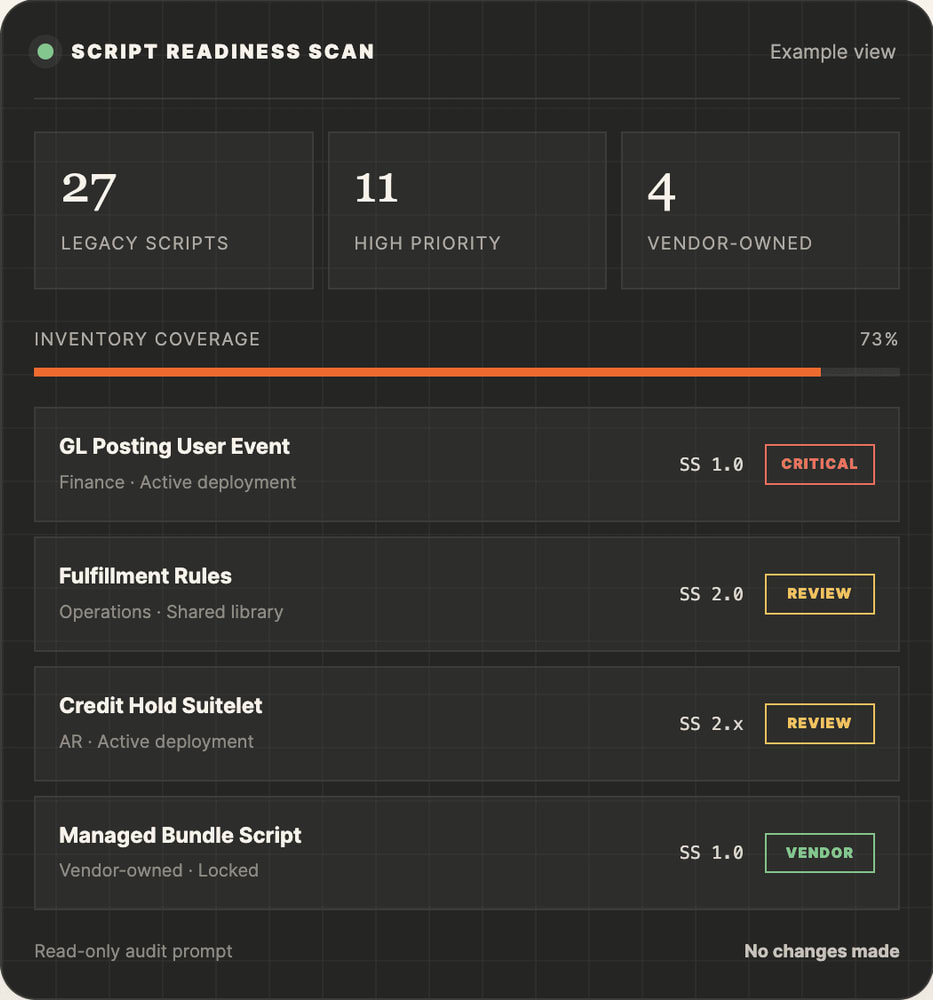
Use Sonar inside NetSuite to inventory the scripts and deployments that need attention. You get a faster starting point without the record-by-record scavenger hunt.
- Runs under your existing NetSuite role and permissions
- Separates active, inactive, locked, and vendor-owned scripts
- Organizes risk, dependencies, complexity, and test scenarios
- Creates a backlog Anchor can validate and migrate from
STARTER AUDIT PROMPT:
Audit this NetSuite account for scripts and deployments using SuiteScript 1.0, 2.0, or 2.x. Do not modify files, records, preferences, or deployments. Return script name and ID, deployment status, API version, type, dependencies, ownership, business process, recommended disposition, migration priority, complexity, compatibility risks, and regression test scenarios. Cite the NetSuite record or file used for each finding.
Note: The prompt is written for a read-only audit. Review the output before making changes.
02 Let Anchor audit and migrate everything.
Lowest internal lift
Hand us the yellow banner and the account history. We will build the inventory, trace dependencies, migrate the code, test the business processes, and move approved changes into production in controlled waves.
- Full script and deployment inventory
- Ownership, bundle, and dependency review
- SuiteScript 1.0 conversion and 2.0/2.x compatibility updates
- Sandbox regression testing and user acceptance support
- Phased deployment, monitoring, and documentation
Best for:
- Inherited accounts
- Undocumented scripts
- Complex integrations
- Already-full calendars
What a useful audit produces
A migration plan, not just a longer list.
The goal is to connect the code to the business: what runs, what matters, who owns it, and what has to be true before it moves to SuiteScript 2.1.
-
01 - Legacy inventory
Script IDs, deployments, versions, types, and status.
-
02 - Ownership map
Custom, bundled, locked, and vendor-managed code.
-
03 - Dependency view
Libraries, integrations, workflows, searches, and handoffs.
-
04 - Risk priority
Business impact, complexity, usage, and uncertainty.
-
05 - Test path
Expected outcomes, owners, sandbox cases, and rollout order.

After the audit
Every script gets a next step.
A clean inventory makes the decision tree pleasantly boring. That is a compliment.

Retire
The script or process is no longer needed. Confirm, document, and remove it from the migration queue.
Vendor follow-up
The code is locked or managed by a SuiteApp provider. Confirm their 2.1 plan and timeline.
Migrate — standard
The script is editable, understood, and contained. Convert, test, approve, and deploy.
Migrate — high risk
The script touches critical transactions, integrations, shared libraries, or high-volume processing. Give it the test plan it deserves.
Prefer the DIY route?
You can absolutely own the whole project.
Plan on more than changing @NApiVersion. A script can upload successfully and still produce the wrong business outcome.
1. Export + classify deployments
Active, inactive, custom, bundled, locked, and vendor-owned.
2. Trace the dependencies
Shared libraries, RESTlets, workflows, searches, records, and integrations.
3. Test the 2.1 runtime in sandbox
Use a defined test plan before changing account-level preferences.
4. Convert 1.0 deliberately
Map structure, entry points, APIs, and behavior—not just syntax.
5. Regression test + deploy in waves
Record expected results, preserve a rollback path, and monitor production.

A few fair questions
Before you press the button.
If your question is more specific than these, that is usually a good sign it is worth a conversation.
Anchor Group currently offers free access to Sonar. The audit prompt on this page gives you a structured starting point. If you want Anchor to validate the output or migrate the scripts, we can scope that work separately.
The provided prompt explicitly instructs Sonar not to modify files, records, preferences, or deployments. Sonar works under the permissions of the role running it, so use an appropriate role and review the response before taking action.
Yes. In fact, a phased plan is usually the point. Inventory everything, then sequence the work by business impact, dependencies, complexity, testing needs, and vendor ownership.
Sometimes it is one step for a clean 2.0 script. It is not proof that the script behaves correctly on the 2.1 runtime. SuiteScript 1.0 generally requires a real conversion, and every retained script needs business-process regression testing.
Your next sensible move
The banner can wait. Your inventory should not.