How to Fix the NetSuite PDF Logo Sourcing Error
Recent NetSuite changes have created logo sourcing issues and formatting changes on PDFs. Here's how to resolve the logo sourcing issue on NetSuite PDFs.
Read the Article
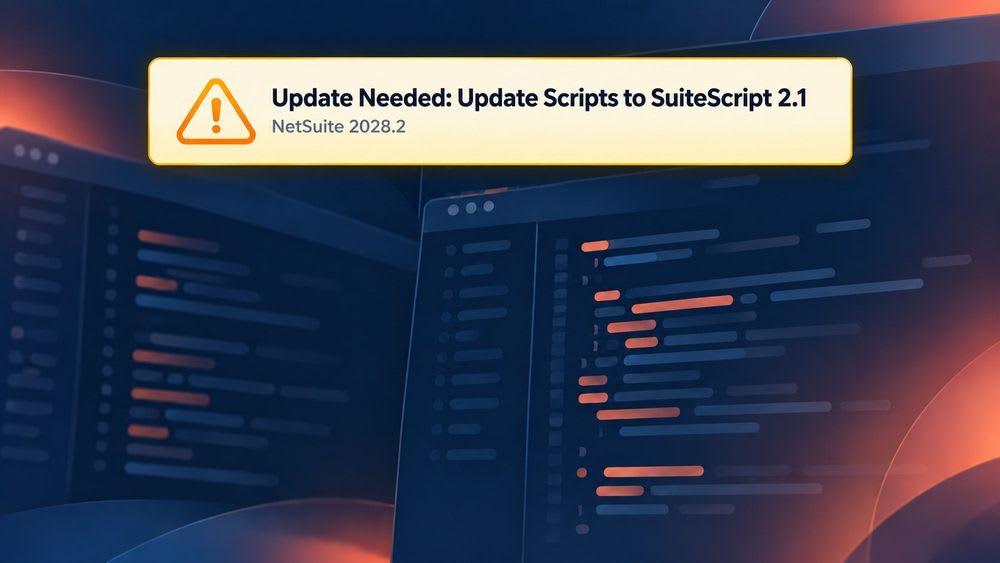

In recent SuiteScript news, if NetSuite recently greeted you with a yellow Update Needed: Update Scripts to SuiteScript 2.1 warning banner, don't worry—you did not break anything today.
(You did, however, receive a deadline.)
SuiteScript has different versions. Each version (called a "standard") has its own functions, and not all code written according to one standard is cross-compatible with the others.
NetSuite has scheduled the gradual removal of all previous standards of SuiteScript: NetSuite SuiteScript 1.0, NetSuite SuiteScript 2.0, and NetSuite SuiteScript 2.x. The only existing standard they will support in the the 2028.2 release is 2.1. Any NetSuite scripts your business still needs must be handled via a NetSuite SuiteScript 2.1 migration before then, including scripts inside bundles and SuiteApps you've installed.
This how-to guide and tutorial is intended to tell you what you need to know to guide you through understanding this announcement as well as the actual migration process.
Any scripts that you want to still work properly must have their code files updated to allow the latest 2.1 standard by the 2028.2 release. But this is not a quick process, so our recommendation is to start now. Anchor Group regularly sees NetSuite accounts with dozens to hundreds of scripts on the wrong version. (In rare cases, we've seen counts in the thousands once bundles and SuiteApps are included.)
Closing the banner takes one click, but closing the risk takes a little more doing.
You can use Sonar (our free NetSuite embedded AI assistant) to speed up the audit before Anchor Group completes the migrations,
OR
While there is no fast script migration process for this migration, Sonar is a free AI assistant from Anchor Group that runs inside your NetSuite account and will significantly speed up part of it. It installs as a standard SuiteBundler bundle (a Suitelet plus a script deployment), opens in your browser already signed in as you, and can only see and do what your NetSuite role allows. Get Free Access to Sonar
SuiteScript 2.1 is NetSuite’s current scripting version. On the server side, it uses the Graal runtime engine and supports newer ECMAScript features than SuiteScript 2.0.
What makes this important is because the versions named in the warning are not all starting from the same place:
In other words, this is not one giant migration, but rather a collection of scripts with different owners, dependencies, business impact, and levels of effort.
For some clean SuiteScript 2.0 scripts, changing the JSDoc annotation to @NApiVersion 2.1 may be part of the solution but it is not the overall plan.
Oracle documents several behavioral differences between SuiteScript 2.0 and 2.1. For example:
SuiteScript 1.0 requires an even more deliberate approach: Oracle’s conversion guidance calls for rebuilding the proper 2.1 script structure, adding the appropriate JSDoc and entry points, and mapping individual 1.0 calls to their 2.1 equivalents. Some 1.0 APIs do not have a direct one-to-one replacement.
A script can upload successfully and still produce the wrong outcome, which is why conversion and regression testing are needed in the same project plan.
Before anyone edits code, answer three questions:
NetSuite recommends reviewing Customization > Scripting > Script Deployments during your NetSuite script audit and using the deployment list as a testing checklist during SuiteScript regression testing. SuiteScript Analysis can add useful execution and performance context, but make sure you don’t treat usage data alone as a complete inventory. (A rarely triggered year-end script can still be a very important script.)
Once the list is complete, place each item into one of four buckets:
Congratulations! You now have a migration plan instead of a yellow banner and a vague sense of unease. (Progress)
Generally speaking this is developer work, as it requires modifying the actual code files. More details on how to diagnose the lift and actually perform that migration below.
Most changes from 2.0 or 2.x to 2.1 will be super simple, often just a single character change at the top of the file. A savvy super-user could do it without a developer’s help.
Changes from 1.0 to 2.1 are much more substantive. You are definitely going to want a developer to do that work, especially for any business-critical code.
These changes from 1.0 will also require more extensive testing to make sure the new code does what the old code did, and in many cases that might be the most time-intensive part of the migration.
One extra challenge here is that for 1.0 scripts, the original author is probably long-gone from the company and the original task requirements are probably forgotten. If the script is poorly written/documented, it can be a real scavenger hunt to untangle.
Best fit: DIY SuiteScript 1.0 to 2.1 migration for teams with available SuiteScript developers, strong documentation, and time to own discovery, legacy NetSuite scripts conversion, QA, deployment, and support.
This route can work well when your internal team has NetSuite scripting experience, access to a current sandbox, enough time for regression testing, and a reliable understanding of the business processes behind the code. You’ll own discovery, conversion, QA, deployment, and support.
Start with the full deployment list. What script and dependent files need to be modified? Identify active and inactive deployments, confirm the API version in the source file, and separate custom scripts from locked or vendor-managed scripts.
You can likely ignore the following files:
Our rules of thumb for exporting:
3 main options for classifying/tagging files for processing:
Important: Do not delete an unfamiliar script just because it has not run lately. First determine whether it supports a monthly, quarterly, annual, exception-based, or manually triggered process.
Look for custom modules, shared libraries, scheduled handoffs, RESTlet consumers, workflows, saved searches, custom records, and external integrations.
One library update can affect several scripts at once, which is either wonderfully efficient or impressively inconvenient, depending on whether you traced the dependencies first.
NetSuite provides account-level preferences that let you run 2.0 and 2.x server scripts as SuiteScript 2.1 without first editing every file. In a sandbox, go to:
Setup > Company > Preferences > General Preferences
From there, you can set Execute SuiteScript 2.x Server Scripts As to 2.1 and enable Execute SuiteScript 2.0 Server Scripts as SuiteScript 2.1.
Use these settings during your SuiteScript compatibility testing to uncover runtime differences, then update and validate each affected script. When a script is ready to run explicitly as 2.1, update its JSDoc annotation to:
/**
* @NApiVersion 2.1
*/
Use the account-level settings only in an appropriate test environment with a defined test plan. They can affect many server scripts at once.
This is the heavy lifting (we're sorry).
For each 1.0 script, you will need to rewrite the guts of most of your NetSuite API functions, following Oracle's SuiteScript 1.0-2.1 API map. You’ll also have to load the specific modules for the functions you need, as that is one big difference from 1.0’s globally-available functions. All our Anchor Group developers are already very familiar with how to rewrite SuiteScript 1.0 into 2.1, as it is something we’ve done many times before:
This is an example of what this can look like at the level of a single function:
Original 1.0 version:

Rewrite in 2.1:

Test with the roles, records, data volumes, and triggering conditions the script sees in real life. Depending on the script, that may include:
Record the expected and actual result for every deployment. (“No error appeared” is nice, but it is not quite the same as “the script did the right thing.”)
Move lower-risk scripts first, then progress toward business-critical scripts. Keep a rollback plan, document the production change, and monitor execution logs and downstream processes after deployment.

Best fit: For NetSuite admins who want fast visibility and a lower-lift discovery process but want experienced developers to own the actual code migration.
If you want a faster picture of the work without manually opening every record, Sonar (our free embedded AI assistant for NetSuite) can help you complete the first pass inside NetSuite.
Sonar can be used for SuiteScript deployment inventory, and operates under the permissions of the user running it, so use a role with appropriate access to the script and deployment information you want included. Ask it to run a SuiteScript audit and organize the environment—not to change or deploy anything.
Audit this NetSuite account for legacy NetSuite scripts and deployments using SuiteScript 1.0, 2.0, or 2.x. Do not modify any files, records, preferences, or deployments.
Return a table with the following information for each affected script:
Separate active deployments from inactive scripts. Flag any script whose owner, purpose, source code, or dependencies cannot be confirmed. End with a summary showing the total affected scripts by version, priority, ownership, and estimated complexity. Cite the NetSuite record or file used for each finding.
This audit gives us at Anchor Group a much better starting point of a prioritized backlog with script IDs, ownership clues, dependencies, risk, and proposed test coverage.
Our NetSuite developers can then validate the findings, migrate each editable script, test it in your sandbox, work through user acceptance testing with your team, and deploy the approved updates. Vendor-owned or locked scripts can be separated into a follow-up list so you know exactly which providers need a phone call—and what to ask them.
In other words: Sonar gets the spotlight on the problem and Anchor Group handles the wiring. (You can get Sonar for free, here.)
Best fit: For teams that want one accountable SuiteScript agency partner to discover, plan, migrate, test, and deploy the work.
Sometimes the honest answer is, “we do not know what half these scripts do, the original developer is gone, but month-end is not going to pause while we find out.” (Fair enough.)
Through our SuiteScript migration services, Anchor Group NetSuite development consultants can manage the project from the first inventory through production deployment, including:
This route is especially useful for heavily customized accounts, inherited NetSuite environments, undocumented scripts, complex integrations, or internal teams with a full workload already.
You keep the business moving. We will sort out what the yellow banner is trying to tell you.
There is no prize for choosing any of these options for legacy SuiteScript modernization. Remember that the right path for your organization is the one that gets every required script migrated and properly tested without turning your operations upside-down.
Changing 2.0 or 2.x to 2.1 tells NetSuite which runtime to use. It does not prove that the script behaves correctly on that runtime.
Test permissions, missing data, unusual transactions, high-volume runs, errors, retries, integrations, and the business outcome—not just whether the script executed.
Identify the owner first. A SuiteApp or managed-bundle provider may need to supply the compatible version, and an update could overwrite an unsupported local workaround.
An inactive script should be deliberately retired, archived, migrated, or assigned for later review. “Probably unused” is not much of a lifecycle policy.
The code conversion is only part of the effort. Inventory, process research, vendor coordination, sandbox scheduling, user acceptance testing, and production change windows all need room on the calendar too.
If you have any developers adding new scripts to the NetSuite account, they should only be using the 2.1 standard. That has been best practice for a while.
All brand new Anchor Group written scripts have been written using the standard 2.x family (2.0 or 2.1) for a long time. However, we have sometimes been asked by clients to modify behavior of existing 1.0 scripts without changing the script standard, as it wasn’t necessary at the time to change standards.
For NetSuite admins, the option of grandfathering in the legacy standard is no longer available, so any script you touch moving forward in your development work should be 2.1 standard by the time you mark that task “Completed.” This means you need to consider that extra refactoring time in your time estimates for any projects touching the old standard.
You do not need to migrate every script this week. You do need to know what is in the account.
1. Count your affected scripts (5 minutes). Go to Customization > Scripting > Script Deployments. Set your filters to “All,” then toggle the API version to see how many 1.0 and 2.0 scripts you have. This quickly quantifies the scope. The time-consuming part is figuring out what each script does and whether your business still needs it (which is where Sonar, Anchor Group’s free tool, is especially fast).
2. Contact your bundle and SuiteApp vendors. Some bundles you’ve installed may rely on old scripts. Ask each vendor to confirm they’re taking ownership of the update and when it will be done. Then set a reminder to follow up on the date they give you. (For more information, see our FAQ section at the bottom of this page)
3. Sort every script into one of four buckets. (Sonar can do this in a few minutes):
Retire: The process or script is no longer needed. (This is a good opportunity to clean up your NetSuite environment of legacy scripts that are just slowing your system down)
Vendor follow-up: The script is locked, managed, or owned by a SuiteApp provider.
Migrate (standard): The script is editable, understood, and relatively contained.
Migrate (high risk): The script touches critical transactions, integrations, shared libraries, high-volume processing, or poorly documented logic.
4. Choose your migration path using the matrix above.
The 2028.2 release is not tomorrow, but that is precisely why now is a good time to handle this carefully instead of handling it expensively.
Not sure whether that banner represents five straightforward scripts or 500 interconnected ones? Start with a Sonar-assisted audit, or let Anchor Group take the full inventory and SuiteScript 2.1 migration off your plate.
We will help you find the affected scripts, prioritize the real risks, migrate the code, and test the processes your business depends on before NetSuite turns a warning into a work stoppage.
Talk to a NetSuite Consultant About NetSuite script migration services >
You can close the banner, but that does not resolve the underlying compatibility issue. Scripts using SuiteScript 1.0, 2.0, or 2.x still need to be evaluated and either retired, replaced, or migrated before NetSuite 2028.2.
Not necessarily. SuiteScript 2.0 and 2.1 use largely similar APIs, so some scripts may need limited code changes. However, 2.1 uses a different runtime engine and has documented behavioral differences, so every required script should be tested before its version is changed and deployed.
No. SuiteScript 1.0 uses a different script structure and API model. A proper conversion may require new entry points, SuiteScript 2.1 modules, replacement logic for APIs without direct equivalents, and regression testing of the entire business process.
Also called a "SuiteScript 1.0 to 2.1 conversion" or a "SuiteScript 2.0 to 2.1 conversion," this depends on the number of scripts, their versions and complexity, shared dependencies, documentation quality, business criticality, vendor ownership, and the amount of regression testing required. A short audit is the most reliable way to estimate the work.
Most 3rd party vendors will be planning to update their apps to the new standard, so you don’t have to handle that yourself. However, you should confirm that with them, and then make sure to install the updated version once it is available.
During your SuiteScript audit, first determine whether the script is locked or managed by the provider. Contact the vendor for its SuiteScript 2.1 compatibility plan and upgrade path. Keep vendor-owned scripts visible in your inventory until the compatible update has been installed and tested.
This is the part that you will want to communicate on early, because if any of your locked scripts are NOT going to have the migration handled by a third party (say if that business no longer exists), you are likely looking at replacing an entire bundle or suiteapp with a new solution, because that feature is going to stop working in 2028. That is something you will want to know far in advance so you can come up with a new solution.

Related Articles
Tagged with Troubleshooting