Contact Us

NetSuite Module

NetSuite Advanced Financials

Planned, implemented, and optimized by Anchor Group NetSuite Advanced Financials consultants

Allocate shared costs by real drivers, run more than one budget, and spread prepaid expenses across the right periods, all inside the general ledger your team already closes in.

Budget chart displaying a bar chart and graph, representing financial data from NetSuite Advanced Financials.

NetSuite Advanced Financials is the module finance teams add when the general ledger needs to do more than record transactions. The NetSuite Advanced Financials module adds expense allocations, multiple budgets, amortization schedules, statistical accounts, and advanced billing schedules to the ledger you already use. Anchor Group configures it around your month-end close, whether you're implementing NetSuite or expanding an existing account. Most teams arrive with an allocation spreadsheet that exactly one person understands (and that person is usually on vacation during close).

Where the NetSuite Advanced Financials module fits

  • License: The NetSuite Advanced Financials module is licensed on top of your NetSuite account. Oracle's Help Center says to contact your NetSuite account manager to have it enabled.
  • What the module itself does: Expense allocations (including dynamic allocations driven by statistical accounts), multiple budgets with budget vs. actual reporting, amortization schedules, statistical accounts for non-dollar data such as headcount and square footage, and advanced billing schedules.
  • How it is turned on: Each capability is its own checkbox in Enable Features, so we decide which ones to switch on, and in what order, before anything is designed.
  • Works alongside: NetSuite OneWorld (intercompany allocation schedules and global or local budget categories), Multi-Book Accounting (amortization schedules kept per book), and the Expense Commitments and Budget Validation SuiteApp, which requires both this module and OneWorld.
  • Add something else when: You need driver-based planning, scenarios, and forecasting across the business (NetSuite Planning and Budgeting), ASC 606 revenue recognition (Advanced Revenue Management), subscription billing (SuiteBilling), or depreciation (Fixed Asset Management).

NetSuite Advanced Financials features

Here is what each capability does for a finance team at month-end, and which ones Oracle switches on as separate features.


Icon_clock.png

Allocate shared costs on a schedule

Stop splitting rent and software bills by hand every month.

  • Allocation schedules move a balance from one expense account into others, by department, class, or location, on the date and frequency you choose (the Expense Allocation feature).
  • Each run creates the journal entry for you, and a dashboard reminder shows when allocations are due for review.
  • With NetSuite OneWorld, intercompany allocation schedules spread one subsidiary's shared costs, such as rent, across several subsidiaries.


Icon_dynamic-pricing.png

Weight allocations by what actually drives the cost

Allocate IT by headcount and facilities by floor space, using this month's numbers.

  • With Dynamic Allocation turned on, a schedule can be weighted by the balance of a statistical account, calculated when the journal is generated.
  • Allocation batches run up to ten schedules in sequence, so IT can be allocated first and its result spread again (the step-down method cost accountants know).
  • Both Dynamic Allocation and Statistical Accounts stay on permanently once used, so we design the drivers before anyone checks the box.


trend graph icon

Report on the numbers that are not dollars

Put headcount, square footage, and units next to the financials they explain.

  • Statistical accounts hold non-monetary values, updated by statistical journals or by a saved search that a statistical schedule runs for you.
  • When a monthly report gives you a total (say, office space by department), record it as an absolute balance instead of tracking every change.
  • Customize the income statement to show ratios such as revenue per employee or earnings per share.


data classification icon

Run more than one budget for the same year

Keep the board-approved budget and the reforecast side by side.

  • The Multiple Budgets feature adds budget categories, so two budgets can share the same department, class, or location without overwriting each other.
  • Compare any category against actuals in the Budget vs. Actual report, and budget statistical accounts too (a headcount plan, for example).
  • In OneWorld, each category is global or local, which decides whether a subsidiary budgets in its own currency or the parent's.


statistics icon

Spread prepaid expenses across the right periods

Recognize a twelve-month software contract over twelve months, not all in March.

  • Amortization templates attach to items or expense lines on a vendor bill, and the bill posts to a deferred expense account instead of straight to expense (the Amortization feature).
  • The schedule is generated when the bill is saved, or when it is approved if bills go through approval routing.
  • Changes go through vendor credits rather than edits to the original bill, which keeps the audit trail intact.


paper with checks icon

Bill customers on a schedule

Invoice a sale in installments or over a contract term without a calendar reminder.

  • Billing schedules apply to a whole sales order or a single line, and NetSuite adds each bill to the billing queue when it comes due (the
  • Advanced Billing feature, which also requires Sales Orders).
  • Set an upfront percentage and split the balance evenly across the remaining bills.
  • Selling true subscriptions with renewals and usage? That is a job for SuiteBilling.
Two netsuite consultants engaged in collaboration on a project, sitting on the floor in a workplace setting.

How Anchor Group delivers a NetSuite Advanced Financials implementation

Turning a feature on takes a minute. The real work is agreeing which costs get allocated, by which driver, and in what order (the decisions your auditors will ask about later).

New to NetSuite?

Build allocations and budgets into the chart of accounts

  • Design departments, classes, and statistical accounts before the first allocation schedule is built.
  • Move your allocation, budget, and prepaid spreadsheets into schedules, categories, and templates as part of the implementation.
  • Run a full month-end close in sandbox, so the first live close is the second one your team has done.
  • Identify the advanced accounting features you need before implementation.

Plan my Advanced Financials setup >

Already on NetSuite?

Expand what works, then fix what does not

  • Add dynamic allocation, multiple budgets, or amortization when the spreadsheet sitting next to NetSuite has quietly become the real system.
  • Identify configuration gaps and the improvements worth prioritizing (allocation order, budget categories, deferred expense accounts).
  • Rebuild allocation schedules nobody remembers creating, and retire the ones that still allocate to a closed department.
  • Tie amortization schedules back to the deferred expense balance when the two have drifted apart.
  • Need finance leadership as well as configuration? Our Contract CFO service pairs the two.
  • Decide whether to add features, clean up what you have, or both.

Assess my Advanced Financials setup >

How you get it: the order of operations

1. Requirements review and licensing confirmation

A free discovery call, then we map your close calendar, cost pools, and budget cycle. We agree which Advanced Financials features to switch on first.

checklist with pencil icon

2. Data preparation and allocation design

Departments, classes, statistical accounts, and budget categories agreed. Allocation drivers and their order designed before anything is built.

data classification icon

3. Sandbox configuration

Allocation schedules and batches, statistical schedules, budgets, and amortization templates built in your sandbox.

functional netsuite consultant gears icon

4. Workflow testing and validation

Your team runs a full month-end in sandbox and ties every allocation journal back to its source.
5. Training and production go-live

Role-based training, budgets and open prepaid balances loaded, and schedules switched on in production.

Icon Demo

6. Support and close tuning

Support through the first closes, then drivers, batch order, and reports tuned once real month-ends run through it.

gear and wrench icon
Two people discussing a document held open between them.

NetSuite Advanced Financials pricing

There are two separate costs, and it helps to keep them separate.

Contact us to understand the module license and services required for your finance team. The first call is free. Or get a near-instant ballpark from our pricing calculator.

 

  • orange 01 icon

    Module license.

    The NetSuite Advanced Financials module is licensed on top of your NetSuite account, and the cost depends on your edition and contract. We check your current contract before anyone buys anything.

  • orange 02 icon

    Setup services.

    A one-time project, scoped by the number of allocation schedules, budget categories, and subsidiaries involved. If someone quotes a flat price without asking how many cost pools you allocate, be suspicious.

NetSuite Advanced Financials FAQs

rocket launch

Build the Advanced Financials setup your business needs next.

Starting with NetSuite or expanding what it can do? Let's identify the right Advanced Financials capabilities, configuration, and support for your finance team. The first call is free.

Oracle NetSuite Alliance Partner

500+ clients · 300,000+ project hours

We like working ourselves out of a job, so your controller will be able to add a department to an allocation schedule without filing a ticket.
module setup review

Articles

Learn More About NetSuite Advanced Financials

NetSuite Advanced Financials: Complete Guide

Your finance team spends countless hours maintaining spreadsheet budgets, manually allocating expenses across departments, and tracking amortization schedules in Excel. Meanwhile, your NetSuite ERP collects transaction data without driving the strategic planning your business needs. NetSuite Advanced Financials transforms how mid-market companies handle budgeting, expense allocation, and financial automation—delivering real-time visibility and control that spreadsheets simply cannot match.

Read the Article Two people discussing a document held open between them.

NetSuite Advanced Financials Guide for Nonprofits

NetSuite Advanced Financials is a strong fit for nonprofits that need better cost allocation and financial tracking. Many nonprofits also use NetSuite nonprofit tools for grants, donor restrictions, budgets, and reports. Your finance team may spend days sorting shared costs each month. Grant records may sit in spreadsheets. Program leaders may wait for budget updates. NetSuite for nonprofit organizations can bring this work into one system. Advanced Financials handles allocations and other accounting tasks. Other NetSuite tools support grants, donor restrictions, and nonprofit reports.

Read the Article Three men collaborating over a whiteboard diagram.

NetSuite Budgeting in 2026: Build, Manage, Forecast

NetSuite budgeting helps your business shorten monthly variance reviews, tighten version control, and give your team a more reliable planning process inside the ERP. In 2026, the right NetSuite budgeting path is usually native budgets for stable annual planning, then NetSuite Planning and Budgeting when rolling forecasts, scenario modeling, and department collaboration become real requirements.

Read the Article A person standing before a whiteboard and smiling to the side.

Related NetSuite Modules

If this module doesn't fit your needs, there are many other NetSuite modules that serve as financial management solutions:
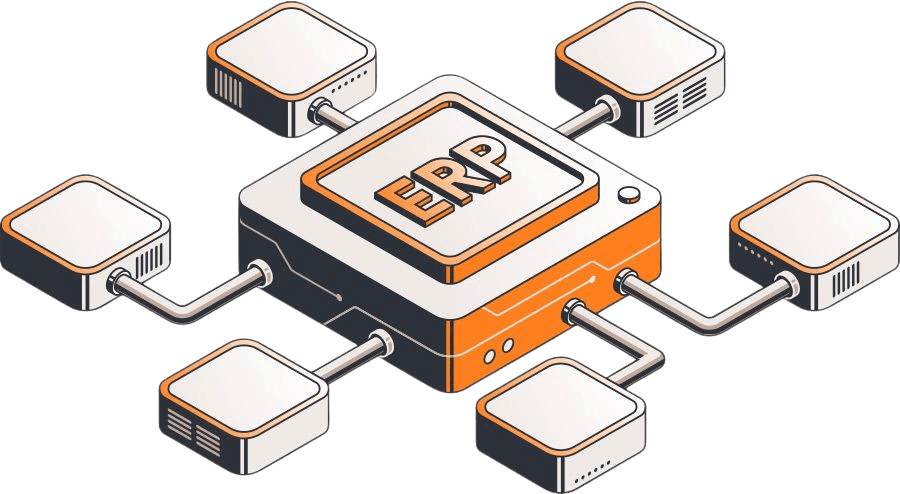
connected netsuite erp modules

Need something a little different?

If you’re not seeing the exact fit you need, no worries—we also build affordable custom solutions to fit your business, your workflows, and the way your team actually works.

Reach out and let’s build a solution that fits like it ought to.

enhanced_review_with_image_evan_stuman