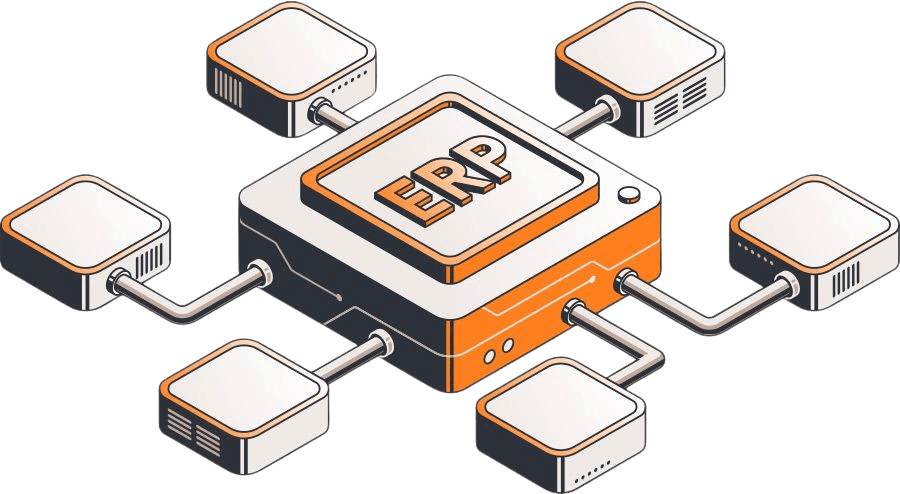
1. Requirements review and licensing confirmation
A free discovery call, then we review your contract types and how you recognize revenue today. We confirm whether you need Essentials alone or Revenue Allocation too.

NetSuite Module
Planned, implemented, and optimized by Anchor Group NetSuite ARM consultants
Turn every contract into a revenue schedule that NetSuite recognizes, reclassifies, and forecasts for you, so month-end close stops depending on a deferred revenue spreadsheet.

NetSuite Advanced Revenue Management (NetSuite ARM) automates how revenue is deferred, allocated, recognized, and forecast for every sale you book. The NetSuite Advanced Revenue Management module turns each sale into a revenue arrangement. It splits the deal into performance obligations and builds the plans that post revenue to the general ledger. It is the NetSuite revenue management tool built for ASC 606 and IFRS 15 work, and Anchor Group configures it around your contracts, whether you're implementing NetSuite or expanding an existing accont. Your auditors will still have questions (they will just be shorter ones).
The NetSuite Advanced Revenue Management features below cover the full path from signed deal to recognized revenue. Here is what each one does for a finance team at month end.

Stop rebuilding contracts by hand in a spreadsheet.

Define the pattern once, then let NetSuite build the plans.

Give each piece of a bundle its fair share of the price, even when the invoice says otherwise.

Merge, modify, and keep the audit trail intact.

Make the deferred revenue balance something you can defend.

Know what next quarter looks like before next quarter shows up.

Turning on ARM takes one checkbox. Turning it off is no longer possible once ARM leaves configuration mode (which is why we plan the whole close before anyone touches that checkbox).
A free discovery call, then we review your contract types and how you recognize revenue today. We confirm whether you need Essentials alone or Revenue Allocation too.
Items mapped to recognition rules, allocation types, and plan triggers. Fair values gathered and open contracts identified for migration.
ARM enabled in configuration mode, then rules, item settings, fair value prices, approval routing, and month-end schedules built.

Real contracts run through a full close: arrangements, plans, journal entries, reclassification, and reports checked against the GL.
Role-based training, then configuration mode turned off in production on an agreed date (NetSuite uses that date to separate classic and ARM transactions, so we write it down).

Support through the first closes, then rules, forecasts, and reports tuned once real contracts run through them.


There are two separate costs, and it helps to keep them separate.
Contact us to understand the ARM licenses and services required for your finance team. The first call is free. Or get a near-instant ballpark from our pricing calculator.

Module license.
The NetSuite Advanced Revenue Management module is licensed from Oracle on top of your NetSuite subscription. Revenue Allocation is an add-on feature to Essentials, so confirm which pieces your quote includes.

Setup services.
A one-time project, scoped to your contract types, item count, and whether you are migrating from classic revenue recognition. Migration usually adds the most work, since open contracts have to move cleanly.

NetSuite Advanced Revenue Management is the NetSuite revenue recognition module for deals with deferrals or more than one obligation. It turns each sale into a revenue arrangement and builds plans from your rules. Then it posts revenue through journal entries, reclassifies deferred revenue, and forecasts what is coming.
You pay Oracle for the ARM license on top of your NetSuite subscription, plus a one-time setup project. The total depends on your edition, whether you add Revenue Allocation, and the scope of setup or migration. Our pricing calculator gives an itemized estimate, and the first conversation is free.
No. ARM is licensed separately and then enabled as the Advanced Revenue Management (Essentials) feature. Revenue Allocation, which handles fair value allocation, is an add-on to Essentials. If you use classic revenue recognition today, your Oracle account representative can tell you how to add ARM.
Yes. Oracle describes ARM as supporting ASC 606 and IFRS 15, including the transition tools to move open contracts to the new standard. The software automates the mechanics. Your revenue policy, set with your accountants, still decides how each contract is treated.
Essentials does the core work: arrangements, rules, plans, deferral, forecasts, and reports. Revenue Allocation adds fair value pricing, range checking, and fair value formulas to spread revenue across several performance obligations in a bundle. Revenue Allocation can only be enabled after Essentials.
Starting with NetSuite or expanding what it can do? Let's identify the right revenue recognition capabilities, configuration, and support for your finance team. The first call is free.
500+ clients · 300,000+ project hours
We like working ourselves out of a job, so your revenue accountant will be able to add a recognition rule or update a fair value price without filing a ticket.
Articles
If you’re not seeing the exact fit you need, no worries—we also build affordable custom solutions to fit your business, your workflows, and the way your team actually works.
Reach out and let’s build a solution that fits like it ought to.