Follow Us On LinkedIn!
The spreadsheet tax
What manual work across disconnected systems costs you.
Annual cost of manual work
$0
Loaded labor on tasks a connected ERP would automate.
Podcast Recap:
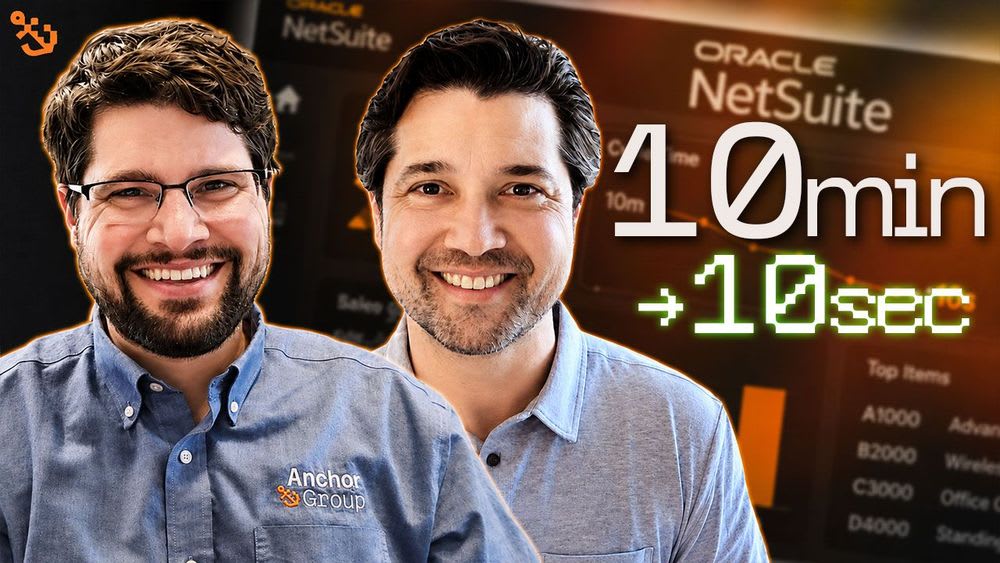
Caleb from Anchor Group sits down with Jon Leipzig of Airbricks to dig into one of the most overlooked inefficiencies in B2B product companies: manual purchase order entry in NetSuite. This episode unpacks how AI-powered sales order automation is turning a 10-minute-per-order process into a 10-second review — without sacrificing accuracy or control.
The problem hiding in plain sight
Most product companies still receive purchase orders via email or PDF and have someone manually key them into NetSuite line by line. It's slow, costly, and dangerously dependent on one person's tribal knowledge. When that person leaves, institutional know-how — which item codes map to which products, which customers use their own naming conventions — goes with them.
How Airbricks works
Emails or files are forwarded or uploaded directly into NetSuite. Within about a minute, AI extracts the relevant data — PO number, customer, ship-to address, item codes, and quantities — and builds a near-complete sales order or estimate ready for human review. The person still approves it; they just don't build it from scratch.
Handling the hard cases — without guessing
Rather than using confidence scoring that suggests probable matches, Airbricks uses rules, conditions, and match memory to map customer part numbers, custom naming conventions, and formatting quirks to the correct NetSuite records. If an item can't be matched with high confidence, it's flagged as "item missing" so the reviewer fills it in. One global client started at 60–70% item match accuracy and now sits at 94% — with services included in the license to get there.
More than just a time saver
Beyond cutting order entry time, the tool surfaces data quality issues that were previously invisible: duplicate customers, inconsistent address books, unmapped part numbers that only one person knew how to handle. It also handles edge cases like multi-tab Excel files (each tab a separate order), single PDFs containing multiple orders, pick-list forms, and unit-of-measure conversions — all configurable at the customer or subsidiary level.
The ROI math is direct
At 10 minutes per order (conservative, once you factor in back-and-forth emails and distraction), even 500 manually entered orders a month equals 83+ hours of labor. At fully loaded cost — salary plus benefits, often at inside sales rep rates — the savings add up fast. Unlike abstract AI tools requiring significant build time to show value, this one has a clear, calculable return from day one.
Bottom line
If your team is still typing purchase orders into NetSuite by hand, the problem isn't just efficiency — it's risk. Airbricks was purpose-built for this exact workflow: inside NetSuite, not bolted on from outside, getting smarter with every order. For product companies with regular manual order volume, this is one of the clearest ROI cases in the NetSuite ecosystem right now.
Listen to the full episode:
Anchor Group Podcast on Spotify
Anchor Group Podcast on YouTube
Need help connecting your systems?
As a BigCommerce Certified Partner and Oracle NetSuite Alliance Partner, Anchor Group helps merchants build and integrate e-commerce ecosystems that scale. Get in touch to see how we can help.
Podcast Transcript:
Caleb (00:00)
In this episode, I talked to my friend John, who I've known for the last seven years. John has recently created a wonderful product for the NetSuite ecosystem around sales order automation. One of the problems that many customers have is the ability to create estimates or sales orders in NetSuite from a PDF or purchase order that arrives as a PDF or email. Their solution takes that information, extracts it, and creates that record in NetSuite. It also has the ability to learn as different customers and unique use cases come up. Stay tuned — you're going to be really interested in this solution that has needed to be solved for many years, and now you know it can be.
The first thing I want to understand, John, is what Airbricks is doing. We've been working together for at least the last couple of months, and there have been a lot of use cases you've been able to solve with a sales order automation tool. I know you've also made a lot of improvements. One of the reasons I wanted to have you on today was to talk about what the product does as a whole, what problem you're solving, and some of the enhancements you've had for additional use cases. This is going to be a conversation on sales order automation, because we used to have to build customizations — and now we don't. That's what I was hoping to do.
Jon (02:02)
AI has changed a lot in terms of what you can do and the use cases you can handle. You and I have been in the NetSuite space a long time — there are probably 10 AP automation solutions out there doing similar AI mapping and OCR, taking a vendor bill and putting it into NetSuite. But there are a lot of companies, mostly in the product space, that are still manually entering orders. What we wanted to focus on was: how can we use AI and process automation to get a real ROI? A lot of AI solutions help with reporting and data, but you have to spend a lot of time building and prompting them. We wanted something straightforward — you are doing something manual, let's take it from 10 minutes per order down to 10 seconds per order. That's why we focused on sales order automation.
Jon (03:01)
Similar to AP automation, it's not for every company. But if you get orders where customers don't have EDI, don't have e-commerce — or maybe they have all three — there are typically still orders coming in over the phone or via email with a PO that someone is manually entering into NetSuite. There are solutions out there, but they're third-party products that connect into NetSuite. NetSuite is very customizable, people have a lot of scripts and customizations, and we saw those integrations breaking down. Trying to find the correct items or customers in NetSuite would be a challenge. So we wanted to build a solution inside of NetSuite. The users who are currently entering orders manually can still live in the system they know, and instead of manually entering an order, it becomes a quick review. We're not replacing the entire process and introducing risk of wrong decisions — we're enhancing the process and making it much shorter so orders can get to fulfillment faster.
Caleb (04:03)
Let's say I'm a sales rep whose customer sends me a CSV file of all the products they need to order with pre-negotiated pricing. They're already set up as a customer, and they come to me and say, "I want to buy a thousand bolts, screws, and nuts" — it's a big list. Normally a sales rep would take that email, manually open NetSuite, go to the customer record, create an estimate or sales order, and put in each line — the item, hopefully inheriting the correct pricing. That's the current state for most NetSuite customers. What I'm hearing is that rather than doing that manually, your tool extracts the information from the email or document and inputs it into the sales order or estimate.
Jon (05:33)
Exactly. Emails can be forwarded directly into NetSuite, or a user can download the PDF or Excel file and upload it. You wait maybe a minute for it to process, and the AI maps the document. What AI has gotten much better at is intent — figuring out where the item code is — because it's not always simple. There's not always a perfect column in the Excel file that says "this is our item code." Sometimes it's buried in all the information on that PDF. So we use AI to map and find all the data: the PO number, the customer, the bill-to, the ship-to, the item code, the quantity — and put that onto a sales order, basically ready-made for you to review and approve inside of NetSuite.
Caleb (06:23)
What if my customer has their own naming convention for my product, or gets it wrong? Does it suggest best-match options for the user to select, or does it just stop?
Jon (06:47)
In the early days of building the product, we had confidence scoring where we'd suggest a closest-match item. The challenge is that a lot of people have very similar part descriptions — the only difference might be "quarter inch" versus "half inch," but the whole description is otherwise the same. We wanted to de-risk it. If an order is ready for processing, the user should feel very comfortable that we've matched the correct customer, items, and ship-to. So instead of suggesting the closest match, we use rules, conditions, and transformations to map customer part numbers or descriptions to the correct part number in NetSuite. If we match an item, it should be very high confidence. If we can't find a match — maybe because there was no item code or a really poor description — we put "item missing" on that line in the sales order. So on a 10-line order, you'd have a quick review where maybe the fifth line says "item missing."
Jon (08:11)
And right there in NetSuite on the order, you just populate the correct item, save and approve, and it goes to fulfillment.
Caleb (08:17)
So you're allowing for much more human intervention where there isn't 100% confidence — rather than guessing at something that looks 98% similar but is actually wrong. What you're doing is looking for 100% matches, and anything outside of that is a human intervention until you can map those descriptions so it becomes 100% going forward. Once you catch a discrepancy, you can add it — this customer part number equals this on ours — and the next time it comes in, it's a 100% confident match.
Jon (09:19)
It just gets better and better. For example, we had a global client — UK, Canada, US, Australia, New Zealand — with 40,000 items and 20,000 customers. Day one out of the box, we were only at 60–70% matching. Over those first few months, we have what we call match memory. If an order comes in and we didn't match the customer, the user selects the correct one, the order gets created, and we remember what was chosen for that customer based on the data on that PO — the bill-to, ship-to, or both. We do the same with the address book. When it comes to items, we look at it as a team and say this customer is giving us only their customer part numbers — we need to load and map those. It's a one-and-done setup, and from that point forward it's matching every time. We ran analytics on their account recently and they're now at 94% item match and 92% customer match.
Caleb (10:29)
That's a huge improvement. I really appreciate that the labor savings are very easy to calculate — most leaders and CFOs understand that an employee's true cost to the business is roughly 1.4 times their salary after benefits and taxes. Every hour spent on manual order entry is more expensive than it looks, especially when these roles aren't low-cost positions. They're often inside sales reps who may also earn commissions.
Jon (12:15)
Absolutely. Sometimes it's the accounting team, sometimes the sales team, sometimes order entry people overseas. Either way, it's a time savings — those people can be doing something else. Even for small businesses on NetSuite doing only 80 orders a month, if there's one person doing this and they go on vacation, or leave, or want to move to another department, there's a lot of risk in that. My favorite part of what we've been doing is exposing things they didn't realize weren't clean inside of NetSuite — because they had one person who knew that when a certain company sent an order with a particular code, they actually meant a different item. Management didn't always realize how much knowledge that one person held.
Caleb (13:22)
Tribal knowledge builds up slowly before you even realize it.
Jon (13:29)
Exactly. So now they're working in their NetSuite environment, getting rid of duplicate address books and customers — things they didn't realize weren't being maintained. Or they're working with their customers to say, "We're automating this, we're going to get your orders out faster, but let's work together and get both of our data clean."
Caleb (13:54)
What about scenarios where someone isn't ready for a sales order yet — they just need an estimate?
Jon (14:06)
We can create estimates as well, because it's virtually the same record in NetSuite. We're still taking the data off the PDF or Excel, matching it to the items and customer, and creating an estimate instead. We can also handle matching if a PO comes in that's related to an existing estimate that just needs to be converted to a sales order. Though sometimes that's not as much of a time savings if the estimate was already manually entered. We do have clients where when the customer places the order, it can be wildly different from the original estimate — maybe they're only choosing half the items or they've added extras — so some clients use us to do that comparison and matching.
Caleb (14:53)
Makes sense. There are scenarios where someone wants estimates for multiple options — A, B, and C — and then selects the best fit. Can you do both estimates and sales orders in the same account, or do you have to pick one route?
Jon (15:19)
It's an option in the settings at either the subsidiary level, the customer level, or even per-order. If a customer is set to create an order 90% of the time but a specific one comes in where you want a quote instead, there's a button to convert it on the fly.
Caleb (15:47)
That makes sense — you're going to have customers who always send a PO and want a sales order right away, and others who work through estimates the entire time. What other features or use cases exist beyond creating estimates and sales orders from documents or emails?
Jon (16:27)
When we started, we thought it would be pretty straightforward. Then we started to worry that companies would just build this themselves by connecting MCP or Claude. What we've come to realize is there's so much more complexity than you'd think. One example: a customer gives you their item code, but they always add a prefix to it, or they forget your prefix or suffix, or it's all one string with no space between the code and the description. We can write prompting and rules for a particular customer's format to solve for that.
Caleb (17:26)
Besides invoices and sales orders, what other unique features or use cases does this address?
Jon (17:34)
There's a lot of complexity per customer that we didn't anticipate. We often need to transform data — if we're getting an item code and the customer is adding their own prefix or abbreviation, we have to write rules and conditions for each PO format to get a good match in NetSuite. And even small companies have a lot of edge cases for their highest-volume customers. For example: getting an Excel file where each tab is a separate order, or a single PDF that contains 10 orders that we parse out into 10 separate NetSuite orders. Pick lists are another one — a form where customers write in the quantity they want for that week. We extract only the rows that have quantities. Unit-of-measure conversion is also a big one — I'd say 30% of our clients need it. A PO might say 20 quantity, but in NetSuite that should be 2 cases. Or a customer wrote "cases" but actually meant "each." We handle those rules and transformations per customer.
Caleb (19:31)
And that's customer-specific, because in their system they may have "each" as the default unit of measure. So it makes sense to write specific conversion rules just for that customer.
Jon (19:59)
Definitely. It's a mix of initial setup and ongoing optimization — services are included with the license because we want 90%-plus accuracy. But it takes some learning of what each customer's suppliers are actually sending them. We typically start with their highest-volume customers and knock those off first so they're immediately seeing value.
Caleb (20:24)
I really like this solution, and I've already had numerous customers sign up and get great value from it. I'm glad you were able to break down use cases I didn't fully know about, because I always want to stay educated on what's available so I can bring it to clients. As AI evolves, the question is how to more creatively use it in your processes. You've built something that leverages AI's strengths where it is today, bridges the gaps with more traditional techniques, and solves the full need. It's a very clean demo and gets up and running quickly compared to a lot of integrated products. Great work — I'm excited to watch it expand into more use cases as the product develops.
Jon (22:01)
Thanks, Caleb. You've been an amazing partner. Anchor Group has such good content and resources for the NetSuite community — you've been a huge help in letting people find us, which is honestly the hardest part.
Caleb (22:13)
Thanks so much for being on, and for being a great partner.
Jon (22:21)
Thanks, Caleb.
Where to Listen to the Podcast
Find more episodes of the Anchor Group podcast!
Oracle NetSuite Alliance Partner, BigCommerce Certified Partner
As both a BigCommerce Certified Partner and an Oracle NetSuite Alliance Partner, Anchor Group is ready to handle BigCommerce and NetSuite projects alike! Whether you already have one platform and are looking to integrate the other, are considering a full-scale implementation of both platforms, or simply need support with ongoing customizations, our team is ready to help answer any questions you might have! Get in touch!