Learn how to remove the [email protected] address from NetSuite emails by configuring DKIM, adding CNAME records to your DNS settings, and verifying your sender domain.
Date
October 23, 2026
Read
3 min
By default, emails sent through NetSuite may display <[email protected]> alongside the sender's address in the recipient's inbox.
NetSuite email displaying the additional sender address
NetSuite does this mainly to keep you from spoofing, from pretending to be someone you are not when you send emails.
But if you really do own and control your domain, you should be able to send emails from it without that additional tag. You deserve it.
Why does it matter?Removing the additional sender address can make your NetSuite emails look more consistent with your company's branding and easier for recipients to recognize. Plus, the flag is kinda ugly and causes visual clutter.
How to Remove the NetSuite Sent-Via Address
There are two steps. They must be done in this order:
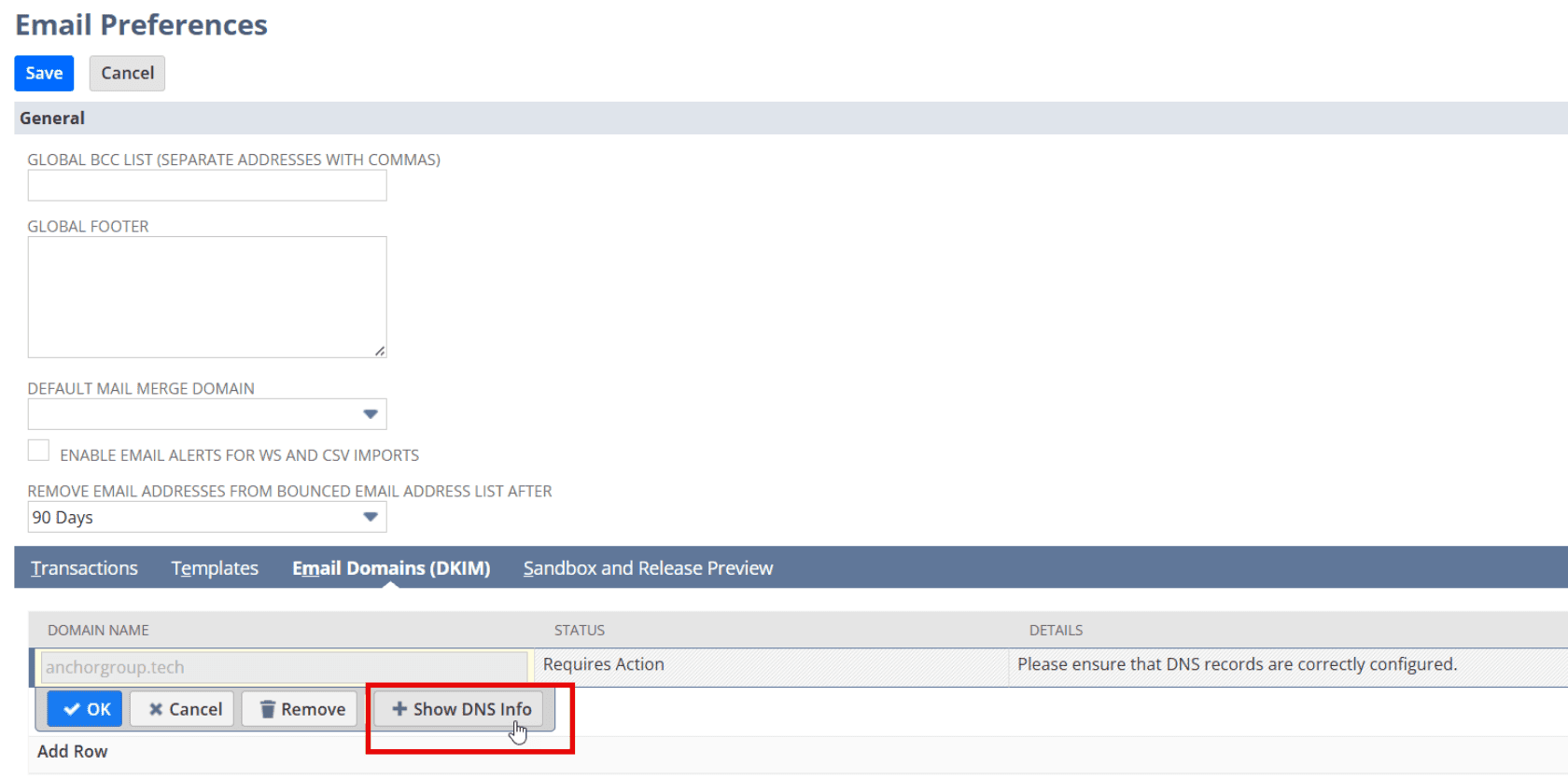
Step 1: Configure DKIM for Your Email Domain in NetSuite
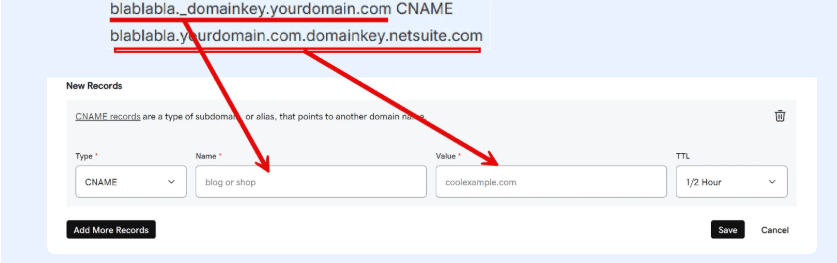
The first part before “CNAME” is the name of the CNAME record.
The last part after “CNAME” is the target/value of the CNAME record.
Use the actual values generated by NetSuite for your domain rather than copying the example above.
So if your DNS provider is GoDaddy (heaven forbid), setup of the CNAME record will look like this:
GoDaddy CNAME record configuration
It might take a few hours for all the changes to come through on the DNS side.
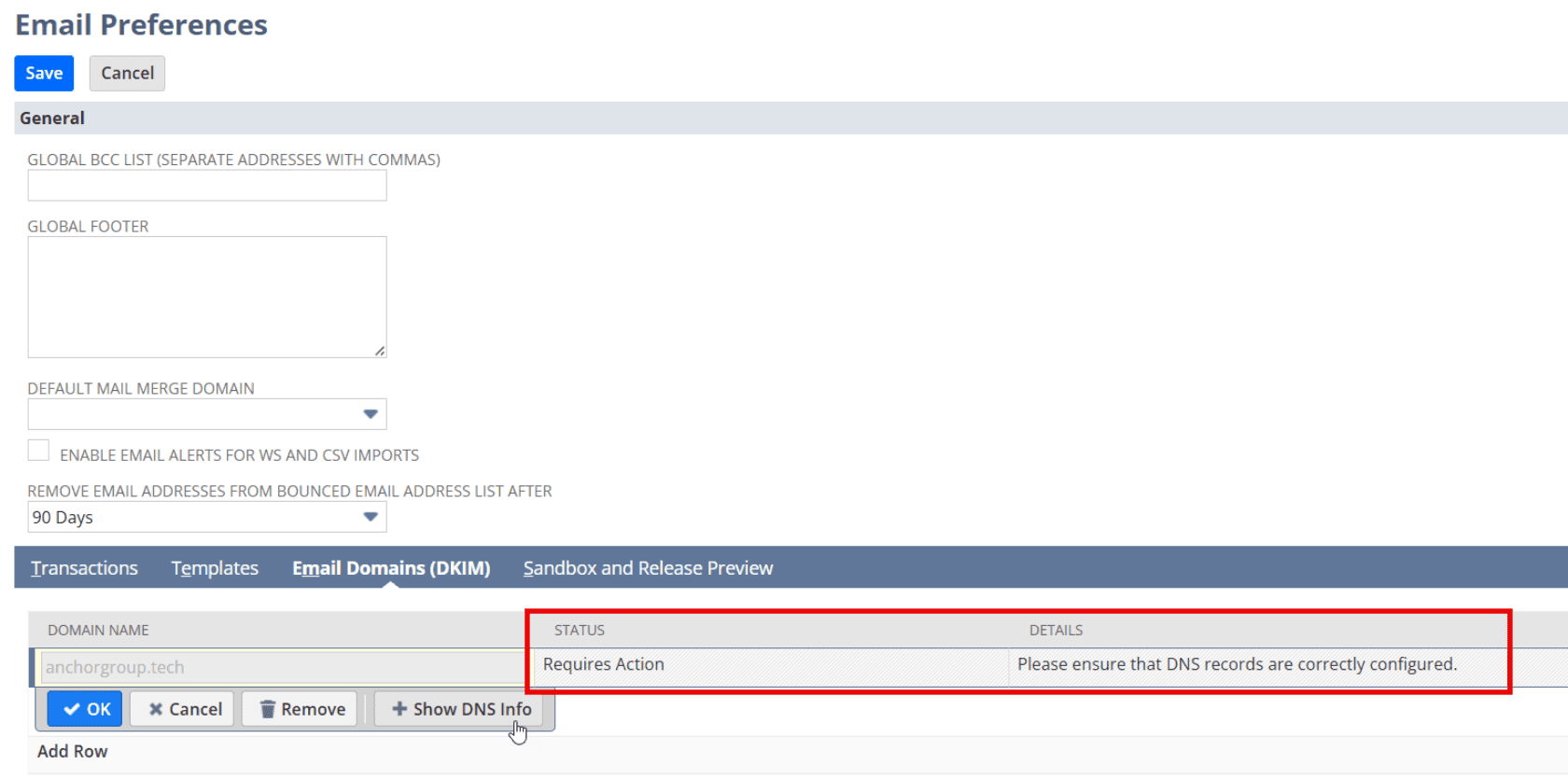
You can check the Status column for what NetSuite thinks the current status is. When Status = Ready, you should be all done.
NetSuite DKIM status
While DNS changes are propagating, continue checking the status in NetSuite. Don't assume the configuration is complete until NetSuite reports that the domain is ready.
Step 3: Verify the NetSuite Email Sender Address
You can confirm it worked by sending yourself an email from the system. The flag should now be removedadditional sent-via address should no longer appear once the configuration is working as expected.
Email displaying the updated sender address
If you send emails from multiple domain names that you control, you can repeat this process, adding DKIM rows for each additional domain.
NetSuite email marketing is a campaign management suite built directly into the NetSuite CRM module. It lets your team design, segment, send, and measure email campaigns without leaving your ERP, using the same contact, order, and subscription data your sales and finance teams use every day. For mid-market companies already on NetSuite, it is a strong starting point for outbound email.
Deciding the right ERP system to use is a challenging task, but once you decide to purchase it, you will need to know some key details to get moving. Here are 13 things you need to know about NetSuite before or after you purchase the system.
In this episode, Michael and Caleb break down the three most important things NetSuite users should be doing to start 2026 strong. From auditing your processes and leveraging integrations to implementing customer portals that actually save time.
Medical Innovations built the operational foundation to scale without adding headcount—and they're using automation, integrations, and AI to move faster than competitors hundreds of times their size. (Yes, really.)