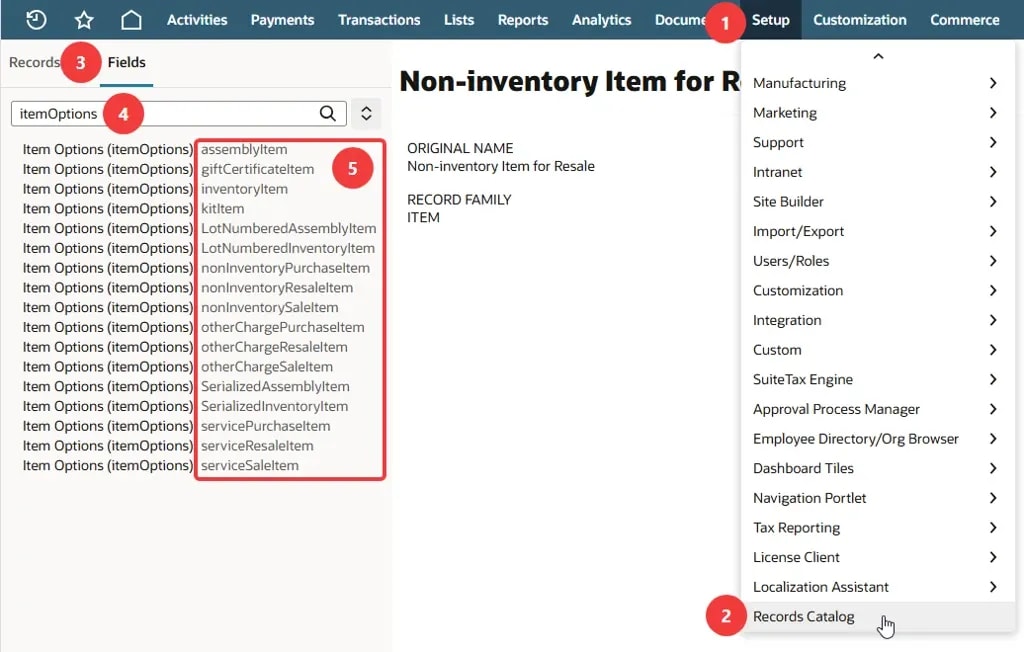
See a SuiteQL example for querying the Item Options on a specific NetSuite item subtype, along with the search limitations encountered along the way.
Date
November 20, 2026
Read
2 min
Question: Accessing Item Options
Anyone ever find a way to query the Item Options that are available for a given item? If you look at the item record, there is a field called itemoptions, but I can't query it using SuiteQL, N/search, Saved Search...
There's also a record type called itemoptioncustomfield...but that's not queryable in SuiteQL or N/Search or Saved Search either. I can export the XML definition via SDF CLI...but that doesn't include the list of item records it's enabled on.
This is maddening. I can see everything in the UI, in multiple places, but the only way I can find to access the values programmatically is using record.load and currentrec.getText({fieldId: 'itemoptions'}). That doesn't make it available in searches, but it at least opens up possibilities. I'm just looking for an alternative to running something on each item record to copy these to a queryable field.
You cannot query the Item Options list, but you CAN query the Item Options on a particular item record by using SuiteQL and querying the specific item subtype record. For example, SELECT itemOptions from noninventoryresaleitem WHERE id=12345 will return a result, whereas SELECT itemOptions from item WHERE id=12345 will NOT return a result.
This will return an array of item options, which are really the IDs of CustomField records. You can parse the string on the fly in SQL and run a join on each option to the CustomField table.
Sometimes NetSuite reports, saved searches, and analytics workbooks fall short of providing the data needed for a task. When those native tools hit their limits, it’s time to turn to SuiteQL!
Learn the difference between runSuiteQL() and runSuiteQLPaged() in NetSuite, including result limits, pagination, mapped results, and building lookup caches.
There is no current native function for a mass update, CSV import, or workflow to inactivate or activate more than one record at a time from an item list.
Learn how to connect DBeaver to NetSuite using SuiteAnalytics Connect and a JDBC driver, then run read-only SQL queries against the NetSuite2.com data source.
Medical Innovations built the operational foundation to scale without adding headcount—and they're using automation, integrations, and AI to move faster than competitors hundreds of times their size. (Yes, really.)