3 Tips to Speed Up a Search (SuiteCommerce & SuiteScript)
Both front-end (SuiteCommerce) and back-end (SuiteScripts) code often require searches. Here are three tips on speeding up your searches.
Read the Article

In SuiteCommerce, there are several ways to add customizable messaging to the banner at the top of your website. The messaging described here appears in the Shopping portion of the site (Shopping SSP), rather than the MyAccount or Checkout SSPs.
Depending on what you're trying to display, you can use native SuiteCommerce configuration settings, a free NetSuite extension, or a custom extension.
We'll walk through all three options, starting with the simplest native configuration and moving toward more customized functionality.
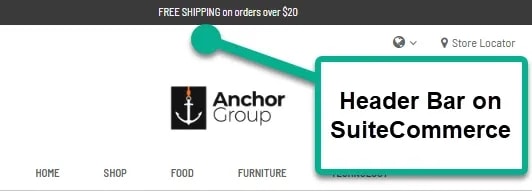
If you're using SuiteCommerce Standard or SuiteCommerce Advanced, log in to NetSuite with the Administrator or Store Manager role and follow these steps:
Ctrl + Shift + R).

NetSuite provides a free SC Shipping Bar extension for displaying a shopper's progress toward a free shipping promotion.
The extension uses cart amounts and the configured currency to dynamically show how much more the shopper needs to spend to qualify for free shipping.
Note: The Currency Symbol and Shipping Value fields are required for this extension.
To see the changes on your storefront, submit a cache invalidation request and hard refresh the page (Ctrl + Shift + R).

Both features occupy the same general area of the storefront, so displaying them together may create competing messages or an overcrowded header.
If neither of the previous options provides the messaging or design flexibility you're looking for, a custom SuiteCommerce extension may be a better fit.
The configuration depends on the functionality being developed.
Anchor Group can help create a custom SuiteCommerce extension based on what you want to display and how the header should behave.
A custom extension provides more flexibility over the content, design, and behavior of the header bar, subject to SuiteCommerce's technical limitations.
Custom extensions generally require more development and testing than native settings or existing extensions. As a result, this is typically the most resource-intensive of the three options.
The amount of work depends on the specific requirements and the existing SuiteCommerce environment.
The right approach depends on what you want your header bar to accomplish.
For a straightforward announcement, start by evaluating the native Banner Text field.
If your goal is to encourage shoppers to reach a free shipping threshold, consider the SC Shipping Bar.
If you need additional design flexibility or functionality, a custom SuiteCommerce extension may be appropriate.
Related Articles
Tagged with Training