Configure Items on a Sales Order | CPQ for NetSuite
With CPQ for NetSuite ERP, you have the ability to configure products for purchase straight from a sales order in NetSuite!
Read the Article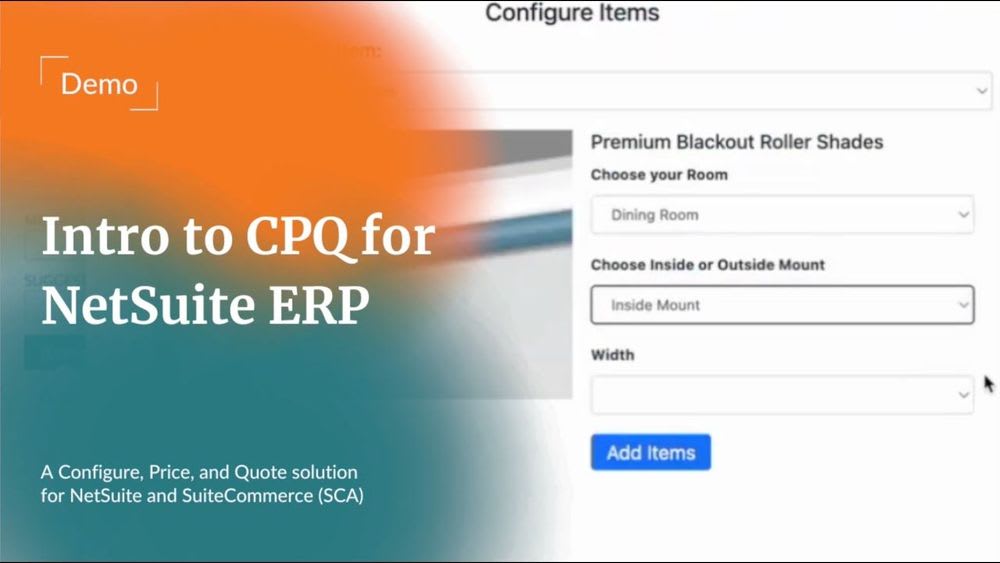

Your sales team builds a quote in one tool, then enters it into NetSuite by hand. Meanwhile, the production team waits for product details that never made it through. This slows down orders, creates errors, and adds work for everyone.
CPQ (Configure, Price, Quote) software helps by linking sales quotes to your ERP. But which CPQ tool is the best fit for your business?
CPQ software helps sales teams create accurate quotes for products with many options. Instead of checking spreadsheets, reps follow guided steps to choose products and set prices. This makes it easier to handle custom orders without calling other teams for help.
The software applies price rules and checks whether product choices are valid. It also creates quotes that reps can send to buyers. These steps reduce manual work and help prevent errors before an order is placed.
According to Custom Market Insights, the global CPQ market could reach $3.92 billion in 2026. The report also expects the market to reach $10.84 billion by 2035.
This growth reflects a common problem for sales teams. Companies now sell products with more options, price levels, and approval steps. CPQ helps teams manage these tasks without making each quote a lengthy project.
Without CPQ, the sales process often involves these steps:
When CPQ connects to your ERP, product details can flow into sales orders and work orders. This reduces repeat data entry and helps teams process orders with fewer mistakes.
According to Oracle NetSuite, CPQ uses guided selling and price rules to improve quote accuracy. These tools also help sales teams process orders with less manual work.

NetSuite Native CPQ works within your NetSuite ERP system. It does not need a separate connector to link CPQ with NetSuite.
Sales reps can use the same item records, prices, and stock data as other teams. This helps sales, finance, and warehouse staff work from shared records.
This guide covers Oracle's NetSuite CPQ module. Anchor Group also offers a separate CPQ for NetSuite solution for firms with different product setup needs.
The main benefit is its direct link to the ERP system. Rather than moving data between separate tools, NetSuite CPQ works within the same platform.
It uses the NetSuite platform to access customer records, item details, prices, and orders. This helps reduce duplicate data and the work needed to keep systems in sync.
For manufacturers, the link between sales and production is a major benefit.
When a rep selects product options, NetSuite CPQ can create a bill of materials. A BOM lists the parts needed to build the product. The system can also create routings, which show the steps needed during production.
These records can support work order creation and help staff plan each job. With the right setup, teams no longer need to rebuild product details after a quote is approved.
Salesforce CPQ has long served companies that manage sales through Salesforce CRM. It connects with Sales Cloud and helps teams create quotes, manage approvals, and sell product bundles.
Salesforce CPQ entered end-of-sale status in March 2025. This means new customers can no longer buy the legacy product.
Current customers can still renew licenses, add users, and receive support. Salesforce now focuses new product work on Revenue Cloud Advanced.
Moving from Salesforce CPQ to Revenue Cloud Advanced takes more than a routine software update. The two products use different system designs, so teams may need to rebuild parts of their setup.
Before moving, companies must review product catalogs, price rules, custom fields, and approval steps. They also need to test how the new system handles their daily sales work.
This type of project can take several months, based on the size of the current setup. Teams with many custom rules may need more time for testing and training.
Current Salesforce CPQ users do not need to switch right away. They can review their needs and plan a move when the timing makes sense.
DealHub helps sales teams create quotes and manage deals through guided workflows. It also offers no-code tools, so teams can manage many sales rules without writing code.
The platform works with Salesforce, HubSpot, and Dynamics 365. It also offers a direct, two-way connection with NetSuite ERP.
DealHub's DealRoom gives buyers and sales reps a shared place to manage deals. They can review quotes, share files, and sign documents without long email threads.
DealHub can connect directly to NetSuite ERP and share data between both systems. It can send sales orders and invoice details into NetSuite records.
The platform can also bring payment data into connected sales workflows. This helps teams track deals as they move through the sales process.
The connection does not need a separate middleware tool. However, teams must still set up and test the data flow.
Sales and finance should agree on which system manages each record. Clear rules help prevent duplicate data and keep both teams working with accurate information.
Manufacturers often build products with many options, and each order may need different parts. Sales reps must record the customer's choices so production teams know exactly what to build.
This process becomes harder when sales and production use tools that do not share data.
NetSuite CPQ for manufacturing helps link these tasks by turning product choices into BOMs and routings.
A BOM lists the parts needed for a product, while routings show the steps required to build it. These records can then support work orders that guide staff through production.
This helps teams avoid entering the same details more than once. It also reduces the risk of errors when a quote moves into production.
For companies that build custom products, NetSuite CPQ can help connect sales and production work.
Anchor Group's NetSuite for manufacturers services can help businesses plan and set up these workflows.
Wholesale distributors often sell the same products at different prices based on customer deals and order size. One buyer may receive a bulk discount, while another has a special contract rate.
Sales reps need the right pricing data before they can send an accurate quote.
NetSuite CPQ can apply customer price lists, volume discounts, and other pricing rules during the sales process. This reduces the need to check each price with finance.
For wholesale distribution firms, these tools can save time and help prevent pricing errors. Reps can focus on helping buyers instead of checking spreadsheets.
Service firms and builders often create quotes based on labor, materials, and project timelines. These costs can change based on the type of job and the customer's needs.
A small repair may require only a few parts, while a large project could involve several stages.
CPQ can help teams build clear quotes and link approved orders to project records.
NetSuite supports project management and billing, helping firms track work after a quote is approved.
Some businesses may need extra setup for their job types, billing rules, or work schedules.
The best CPQ tool depends on your current systems, the products you sell, and your team's needs.
Start by reviewing how your sales team builds quotes today. Then look for tasks that cause delays or lead to repeat work.
CPQ does more than help sales reps create quotes. It also supports the work that follows once a buyer approves an order.
When systems connect well, product details can move from quotes into sales orders and billing records. Manufacturers can also use this data to plan production and create work orders.
This reduces manual steps and helps teams complete orders with fewer delays.
A well-planned CPQ setup can offer several benefits:
Oracle's NetSuite CPQ customer stories describe firms that reduced quote times from weeks to minutes.
Actual results depend on the products sold, the sales rules involved, and the system setup.
For companies looking to automate NetSuite workflows, CPQ can be a good starting point. Better quoting can also make the work that follows each sale easier to manage.
A CPQ project can run into trouble when the system does not match how a business works. Product lists may contain errors, price rules may clash, and reps may struggle to build certain quotes.
These issues can delay orders and create more work for production and finance teams.
A good project starts with clean item data, clear price rules, and a plan for each team's work.
As a NetSuite Alliance Partner, Anchor Group helps businesses build ERP systems that support their daily work.
Our team works with manufacturers, distributors, and service firms that depend on accurate sales and order data.
We know how a small error in a quote can cause bigger problems later. A wrong part number can delay production, while a bad price rule can affect customer orders.
Our NetSuite Implementation services focus on getting these details right before they become costly problems.
We also help teams keep their systems working as business needs change.
If your CPQ setup needs help, our NetSuite Consulting team can review your current workflows and suggest practical fixes.
Need help with your quoting process? Book a FREE 30-minute NetSuite fix. We'll review your issue and help you find the next step.
NetSuite Native CPQ works within your ERP, so sales and finance can share product data. It also removes the need for a separate CPQ-to-NetSuite connector. For manufacturers, the system can create BOMs and routings from sales quotes. These tools reduce repeat data entry and help staff process orders. However, clear product rules and proper testing are still needed for reliable results.
Salesforce CPQ stopped selling new subscriptions in March 2025, but current customers can still use the product. They can renew licenses, add users, and receive support. Salesforce now focuses new product work on Revenue Cloud Advanced. Existing users do not need to switch right away. They can review their sales needs and plan a move when the timing makes sense for their business.
Many NetSuite CPQ projects take three to six months, depending on the product catalog and pricing rules. Smaller projects with simple product options may take less time. Larger catalogs with custom rules often need more testing. Teams must also check how quotes connect to production records. Clean data, clear goals, and skilled consultants can help keep the project on track.
Yes, DealHub offers a direct, two-way connection with NetSuite ERP. It can send sales orders and invoice details into NetSuite while sharing payment data with sales workflows. The link does not need separate middleware, but teams must set up and test the data flow. Clear field maps and data ownership rules help both systems share accurate records without adding extra work for sales and finance.
NetSuite Native CPQ is a strong choice for manufacturers already using NetSuite ERP. It can turn product choices into BOMs and routings that support production planning. Other CPQ tools can also link sales quotes to factory systems through ERP connections. The best choice depends on your products, current software, and production needs. Testing real orders helps confirm which tool fits your business.
Related Articles
Tagged with Comparison