NetSuite App
NetSuite Time Tracking for Hourly Employees
NetSuite Employee TimeClock | Native Time Entry & Payroll Integration
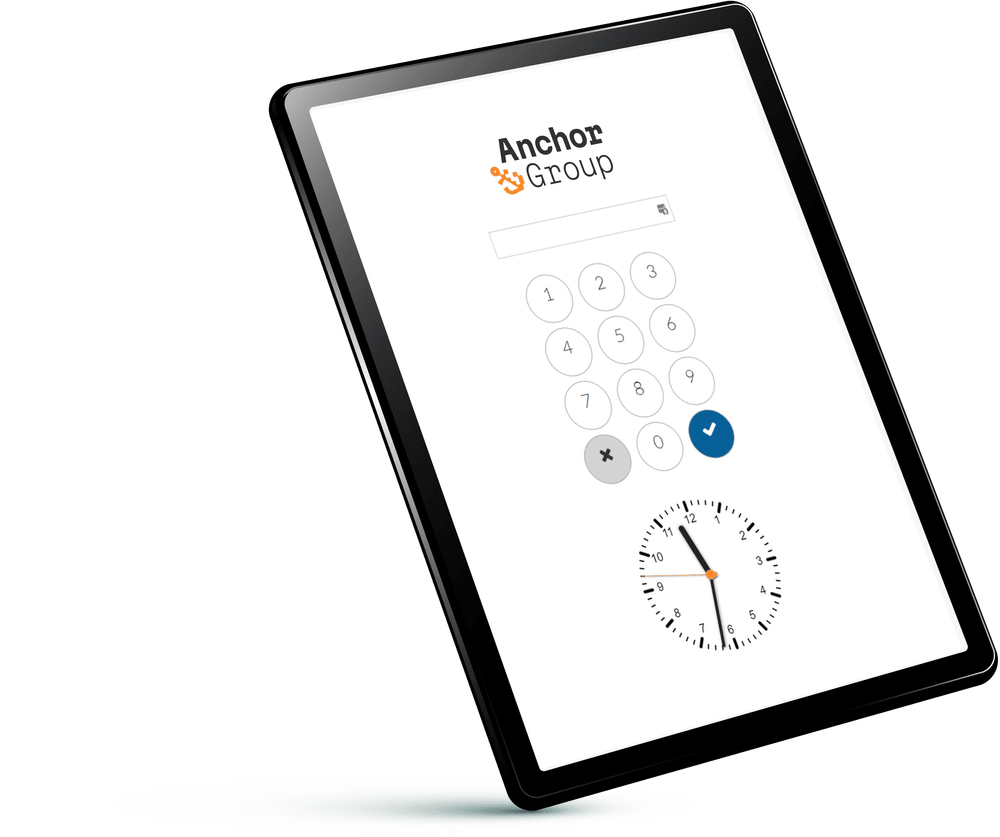
Our NetSuite TimeClock app gives hourly workers a simple, connected, mobile-friendly way to clock in, clock out, and track breaks directly through NetSuite. Employees enter a unique PIN from their personal device or a shared tablet, and the app automatically creates NetSuite employee time entries for manager review, reporting, and optional payroll integration. No separate employee NetSuite licenses or complicated time-entry processes required.
Simplify Employee Time Tracking Inside NetSuite
NetSuite provides employee time tracking capabilities, but its native interface isn't always practical for hourly workers who need to clock in, clock out, and get back to work.
This can leave manufacturers, warehouse teams, and wholesale distributors relying on manual timesheets or third-party timeclock systems that require additional integrations and maintenance. (Not ideal.)
Our NetSuite employee time tracking app provides a simpler alternative.
Employees access the Timeclock through a dedicated NetSuite URL, enter their PIN, and record their working hours, lunches, and breaks. Time entries are automatically created inside NetSuite, where managers can review and approve them before payroll processing.
Et voilà! All the time data you and your team needs, in the ERP you're already using.
NetSuite Timeclock Features

PIN-based employee clock-in: Give hourly employees access to a dedicated NetSuite timeclock URL using a unique PIN, without requiring individual NetSuite logins
-
Mobile NetSuite time tracking: Let employees clock in from personal devices or shared warehouse and manufacturing-floor tablets
-
Automated NetSuite time entries: Create employee time records directly in NetSuite whenever employees clock in and out
-
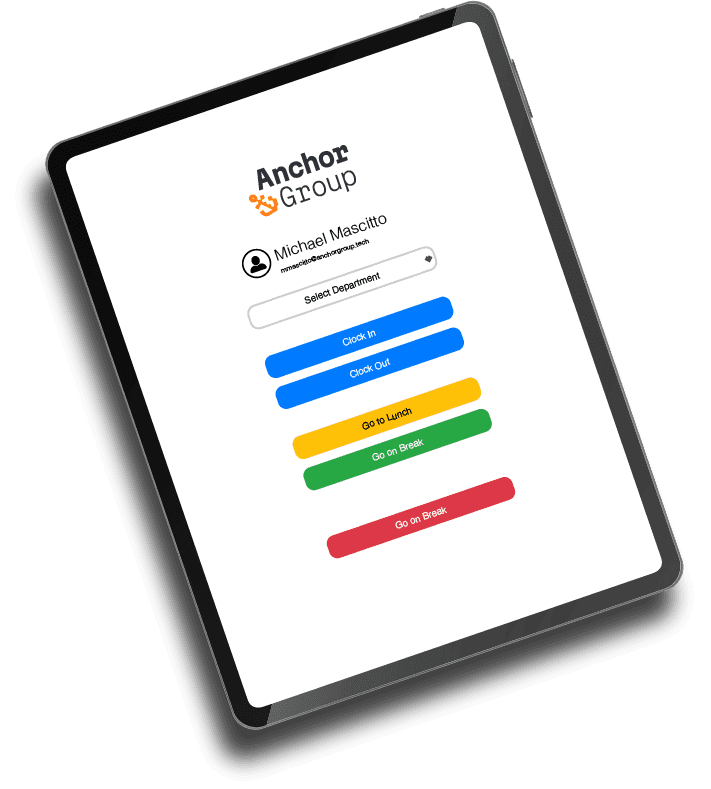
Lunch and break tracking: Record lunch periods and other breaks separately, with configurable break-length rules
-
Time entry validation: Help prevent duplicate or incorrect employee time entries before they reach payroll
-
Manager time entry approvals: Allow managers to review and approve employee time at the end of each pay period
-
NetSuite SuitePeople and payroll integration: Optionally connect employee time data with supported NetSuite payroll workflows
-
NetSuite saved search reporting: Review employee hours and timeclock activity using tailored NetSuite saved searches
-
Custom labor tracking: Extend the app to capture time against projects, work orders, departments, production processes, or other business-specific activities
Who This NetSuite Time Tracking App Is For

Manufacturing Businesses Tracking Hourly Labor
Manufacturing operations depend on accurate employee time records, but production-floor employees don't always have convenient access to a computer or NetSuite login.
With NetSuite manufacturing time tracking, employees can clock in from shared tablets or personal devices while their time entries are recorded directly in NetSuite.
Why It Matters:
- Simplify clock-in and clock-out processes for production-floor employees
- Reduce manual employee time entry and duplicate records
- Track employee hours within the NetSuite environment
- Support customized labor tracking by production process, work order, or department

Warehouse and Distribution Teams With Hourly Employees
Warehouse and wholesale distribution teams often have employees working across shifts, locations, and responsibilities.
A mobile-friendly NetSuite employee timeclock makes it easier to record working hours without sending employees to a desktop or requiring them to navigate NetSuite's standard interface.
Why It Matters:
- Give warehouse employees a convenient way to clock in using a shared tablet
- Track lunches and breaks separately from working hours
- Reduce reliance on paper timesheets or disconnected timeclock systems
- Give managers access to employee time records directly in NetSuite

Managers Who Need Better Time Entry Oversight
When employee time records live in disconnected systems, reviewing hours and identifying errors can become unnecessarily complicated.
With NetSuite time entry approval and saved search reporting, managers can review employee hours, identify potential issues, and approve time entries before payroll processing.
Why It Matters:
- Review employee hours and timeclock activity through tailored NetSuite saved searches
- Identify duplicate, missing, concerning, or potentially incorrect time entries
- Approve employee time at the end of each pay period
- Improve visibility into hourly labor activity without switching between systems


HR and Payroll Teams Managing Employee Hours
Accurate time tracking is important. Getting those hours into payroll without unnecessary data entry is just as important.
Because the app creates employee time records directly in NetSuite, payroll teams can use that information within supported NetSuite payroll and SuitePeople workflows.
Why It Matters:
- Keep employee time records connected to native NetSuite employee records.
- Reduce duplicate data entry between time tracking and payroll processes.
- Support manager review and approval before payroll processing.
- Optionally connect approved time entries to NetSuite payroll or SuitePeople.

Businesses With Project-Based or Department-Specific Labor Tracking
For some businesses, knowing how many hours an employee worked is only half the story.
Manufacturers, contractors, and other operations may also need to know which project, department, production line, or work order those hours belong to.
With additional NetSuite Timeclock customization, businesses can extend their employee time tracking processes to capture those details.
Why It Matters:
- Track labor hours against specific projects, departments, or work orders.
- Improve visibility into how employee time is allocated.
- Support more detailed labor reporting within NetSuite.
- Customize employee time entry workflows around existing operational requirements.
Less Time Tracking Time. More Time Back.
See how one business replaced manual timesheets and spreadsheet-heavy payroll reporting with a customized NetSuite TimeClock solution.

Connect Employee Time Tracking to NetSuite Payroll and SuitePeople
Because employee time entries are created directly inside NetSuite, our Timeclock app can fit into your existing payroll workflows without requiring a separate system to collect and transfer employee hours. (hooray!)
For businesses using the appropriate functionality, approved entries can be connected with NetSuite payroll or NetSuite SuitePeople Payroll to help streamline how hours move from employee clock-in to payroll processing, resulting in less manual data handling and a more connected and integrated employee time tracking process.

Mobile NetSuite Time Tracking for Hourly Employees
Hourly employees shouldn't need a full NetSuite login just to clock in, which is why Timeclock provides a dedicated URL that employees can access from their personal mobile devices or a shared tablet. Each employee enters a unique PIN to record their time, without having to navigate the rest of the NetSuite interface. Easy peasy.
Whether they're starting a shift on the warehouse floor or clocking out after a day in production, NetSuite mobile time tracking keeps the process simple.

NetSuite Saved Searches for Employee Time Reporting
Collecting employee hours is good but knowing what those hours tell you is better
Timeclock supports NetSuite saved searches for employee time reporting, giving managers and payroll teams visibility into employee hours, time entries, and timeclock activity.
With tailored saved searches, your team can:
- Review employee time entries by pay period
- Analyze recorded employee hours
- Identify potential time entry discrepancies
- Support manager review and approval workflows
- Report on labor activity using employee records already in NetSuite
No need to maintain a separate reporting environment just to understand when employees worked.

Built-In Rules for Cleaner Time Entries
Our NetSuite Timeclock app keep data clean from entry to payroll, and includes configurable rules for lunch and break lengths, along with validations that help prevent duplicate or incorrect time entries.
Managers can also review and approve employee time before those records move through the payroll process.
Fewer preventable errors, less manual cleanup, more time saved by your team.
Need More Than a Basic NetSuite Timeclock? Customize It.
Hourly work doesn't look the same at every company, which is why the app already comes with native support for additional project- and process-level time reporting and other custom functionality.
But for organization-specific needs, Timeclock can be extended with NetSuite time tracking customization around your specific processes as well as used with native and custom segmentation.
Need employees to record hours against a manufacturing work order? Switch departments halfway through a shift? Capture time spent on different projects or production processes? We got you.
Our NetSuite developer team can provide NetSuite customization services to add additional fields, rules, workflows, reporting, or process-specific functionality. With NetSuite custom development, the Timeclock can move beyond basic clock-in/clock-out tracking and capture the labor information your business really needs.

FAQs

NetSuite supports employee time tracking, but its native interface isn't designed specifically for simple hourly clock-in and clock-out workflows. Anchor Group's NetSuite Timeclock app provides a PIN-based, mobile-friendly timeclock that creates employee time entries directly inside NetSuite.
Yep! The app is mobile responsive and can be accessed through smartphones, tablets, or other compatible devices. This makes it useful for warehouse employees, manufacturing teams, and other hourly workforces.
Hourly Employee TimeClock was built for businesses with hourly employees, particularly wholesale distributors, manufacturers, warehouses, and similar operations where accurate employee time records matter.
It gives employees an easier clock-in experience while keeping the underlying NetSuite time tracking data available for management, reporting, and payroll.
Yes! Employees can access TimeClock through a dedicated NetSuite URL using their unique PIN.
Hourly employees can clock in and out from a personal mobile device or shared tablet without needing an individual NetSuite user login.
Yes. TimeClock can be configured to work with NetSuite SuitePeople and payroll workflows, depending on your company's existing setup and requirements.

What’s next
Your hourly employees need a simple way to clock in, your managers need reliable time record, and we're guessing your payroll team would probably prefer not to spend the afternoon reconciling another spreadsheet. (But what do we know.) Anchor Group's NetSuite TimeClock for Hourly Employees brings those processes together in one NetSuite-native solution and gives employees an easier way to record time while keeping the data connected to the business systems you already use.



Need something a little different?
If you’re not seeing the exact fit you need, no worries—we also build affordable custom solutions to fit your business, your workflows, and the way your team actually works.
Reach out and let’s build a solution that fits like it ought to.
