Contact Us

NetSuite Module

NetSuite Advanced Inventory Management

Planned, implemented, and optimized by Anchor Group NetSuite consultants

Reduce stockouts, manage excess stock, and give purchasing, warehouse, and finance a shared view of inventory in NetSuite.

A warehouse filled with boxes, featuring a floating visualization representing the NetSuite Advanced Inventory module.
pixel squares light section overlay

NetSuite Advanced Inventory Management brings demand-based replenishment, lot and serial traceability, bin tracking, and landed cost capabilities into your ERP. Anchor Group will help you evaluate the NetSuite Advanced Inventory module and configure it around your operations, whether you're implementing NetSuite or expanding an existing account. It is built for distributors, manufacturers, and retailers who have outgrown one warehouse, one bin, and a reorder point somebody set in 2019 (we see that one a lot).

Where the NetSuite Advanced Inventory module fits

  • black square outline with orange checkmark

    Builds on: Standard NetSuite inventory management, which is included with every subscription

  • black square outline with orange checkmark

    License: The NetSuite Advanced Inventory module is an add-on, licensed on top of the core platform

  • black square outline with orange checkmark

    What the module itself does: Demand-based replenishment (reorder points and preferred stock levels calculated from your history). Demand Planning, Inventory Optimization, and NetSuite WMS all require it.

  • black square outline with orange checkmark

    Works alongside: Features you enable and configure separately: Multi-Location Inventory, Bin Management, Advanced Bin / Numbered Inventory Management, Lot Tracking, Serialized Inventory, Matrix Items, Multiple Units of Measure, Landed Cost, and Inventory Count.

  • black square outline with orange checkmark

    Add something else when: You need handheld scanning and directed picking (NetSuite WMS or RF-SMART), statistical forecasting (Demand Planning), or live counting without pausing transactions (Smart Count).

What you get with Advanced Inventory


lightbulb brain icon

Track inventory by location and bin

Know exactly where stock sits, in every warehouse and on every shelf.

  • "We have 40 in Milwaukee" becomes "32 in rack B-14 and 8 in the forward pick area."
  • Multi-Location Inventory is its own NetSuite feature, and bin management has to be enabled and then configured per location and item. We set both up in the right order.
  • Keep quarantined or damaged stock from showing up as available to sell by giving it an inventory status.


Icon Franchise

Improve traceability with lot and serial tracking

Follow any item from the receiving dock to the customer's door.

  • Trace a recalled lot to every customer who received it in twenty minutes with a saved search (instead of a weekend with a filing cabinet of packing slips).
  • Settle warranty claims by serial number rather than by argument.
  • Turn tracking on only for the items that need it (it cannot be turned off again once numbered items exist, so choose carefully).

Icon Magnefying Glass

See true product costs with landed cost allocation

Put freight, duty, and insurance into item cost, where the CFO can see them.

  • Allocate landed costs by weight, quantity, or value on each receipt.
  • Gross margin reports reflect what it really cost to get product onto your shelf (usually in a direction the CFO would rather know about sooner). Landed Cost is its own feature, switched on per item, so you need a plan for which items track it.

service icon

Handle product variants and units of measure

Stop working around the items that never fit a simple item record.

  • Manage a jacket in six sizes and four colors as one matrix item.
  • Buy by the pallet, stock by the case, and sell by the each, with NetSuite doing the arithmetic instead of your receiving clerk.


factory icon

Make cycle counting part of your normal operations

Replace the annual shutdown with counts that fit into a normal week.

  • NetSuite's Inventory Count feature schedules counts by item and location, and an approved count posts the variances for you.
  • A standard count has to account for transactions processed while it is open, so timing and scope matter (we help you set both).
  • For live counting on handhelds without pausing transactions, NetSuite Smart Count is a separate SuiteApp (our physical inventory count app is another option).

Icon Buyers

Set demand-based reorder points

Let sales history decide when to buy (reordering from memory works right up until the person with the memory takes a vacation).

  • NetSuite calculates reorder points and preferred stock levels from past sales and purchases, lead time, safety stock, and seasonal demand, and recalculates them weekly.
  • Purchase and transfer order suggestions appear when stock dips below the line.
  • Inventory Optimization, new in 2026.2, is a separate feature enabled on top of Advanced Inventory. It helps planners set safety stock and reorder points from demand variability, lead-time history, and service-level targets by item segment (and changes nothing until you include items in it, which is the right kind of cautious).
Two netsuite consultants engaged in collaboration on a project, sitting on the floor in a workplace setting.

How Anchor Group delivers it

Enabling Advanced Inventory takes a checkbox. Making it work takes sequence (items, then locations, then bins, then costing, then replenishment), and that is the part we do.

New to NetSuite? 

Plan it right the first time

  • Map your locations, items, and traceability needs before anything is licensed.
  • Configure inventory in the right order as part of your NetSuite implementation.
  • Train purchasing, warehouse, and finance so your team owns it after go-live.

Identify the inventory capabilities you need before implementation.

Plan my inventory setup >

Already on NetSuite?

Fix or extend what you have

  • Add locations, bins, lot and serial traceability, or demand-based replenishment to an account that is running well.
  • Clean up half-configured features: stale reorder points, drifting average costs, even inventory carrying a $0 value.
  • Identify configuration gaps and the improvements worth prioritizing.
  • Get item data clean before bins go on (enabling bins on 30,000 unreviewed item records is how you get a very long, very expensive cycle count).
  • Rescue a go-live that left counts out of step with the general ledger

Find out whether to add Advanced Inventory or improve what you already have.

Assess my inventory setup >

How you get it: the order of operations

1. Requirements review and licensing confirmation

2. Data preparation and inventory design

3. Sandbox configuration

service icon

4. Workflow testing and validation

5. Training and production go-live

6. Support and replenishment tuning

handshake icon
Two people discussing a document held open between them.

NetSuite inventory management pricing

There are two separate costs, and it helps to keep them separate.

Contact us to understand the module and services required for your operation, or get a near-instant ballpark from our pricing calculator.

 

  • orange 01 icon

    Module license.

    Advanced Inventory is an add-on to your NetSuite subscription. The price depends on your edition, users, and other modules.

  • orange 02 icon

    Setup services.

    A one-time project, scoped to your locations, your item data, and how much cleanup is involved.

NetSuite Advanced Inventory Management FAQs

rocket launch

Build the inventory setup your business needs next.

Starting with NetSuite or expanding what it can do? Let's identify the right inventory capabilities, configuration, and support for your operation.

Oracle NetSuite Alliance Partner

500+ clients · 300,000+ project hours

We like working ourselves out of a job, so the goal is a team that does not need to call us every time a stock level needs a nudge.
module setup review

Articles

More on Inventory Management

How to Enable Advanced Inventory Management in NetSuite for Supply Chain Accuracy

Your stockouts cost you customers. Your excess inventory drains working capital. When businesses implementing advanced inventory systems experience significant reductions in carrying costs while cutting stockout incidents substantially, the path forward becomes clear. NetSuite's Advanced Inventory Management transforms basic stock tracking into a strategic supply chain weapon—and the feature toggle can be completed quickly once prerequisites are in place.

Read the Article A person making notes on an iPad with a stencil.

How to Use NetSuite Average Cost Method for Inventory Valuation

Every inventory transaction affects your bottom line, yet many businesses struggle to track costs accurately across fluctuating purchase prices and multiple warehouse locations. NetSuite's average cost method—the platform's default inventory costing approach—automatically calculates a weighted average cost whenever you receive or adjust inventory. When implemented correctly, this method eliminates manual cost tracking headaches and delivers accurate COGS (Cost of Goods Sold) on every transaction.

Read the Article A person standing before a whiteboard and speaking to two men sitting at a table.

NetSuite Advanced Inventory Guide for Wholesale Distributors

NetSuite Advanced Inventory is Oracle NetSuite's licensed inventory management feature set that extends standard inventory tracking with lot and serial number traceability, bin-level warehouse control, demand-driven automated replenishment, landed cost allocation, and matrix item support. It also works alongside NetSuite Smart Count for cycle counting workflows. All of these capabilities operate within the same database as financials, purchasing, and order management. Advanced Inventory is required for NetSuite Demand Planning, and it is a key inventory foundation for distributors planning a NetSuite WMS rollout.

Read the Article A person flipping through a book filled while an open laptop stands before him.

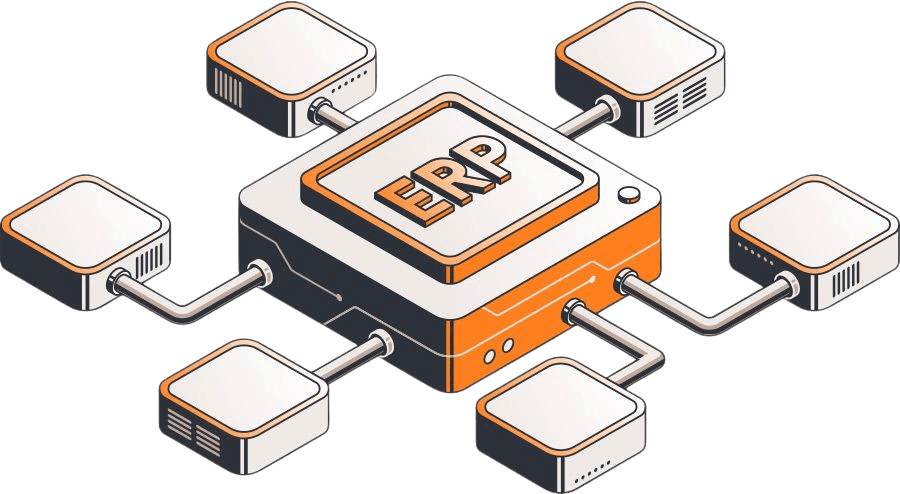
Related NetSuite Modules

If the NetSuite Advanced Inventory module doesn't meet your company's needs, consider other solutions that might be a better fit. Here are a few ideas to get you started.
connected netsuite erp modules

Need something a little different?

If you’re not seeing the exact fit you need, no worries—we also build affordable custom solutions to fit your business, your workflows, and the way your team actually works.

Reach out and let’s build a solution that fits like it ought to.

enhanced_review_with_image_evan_stuman