Contact Us
Three people standing before a whiteboard.

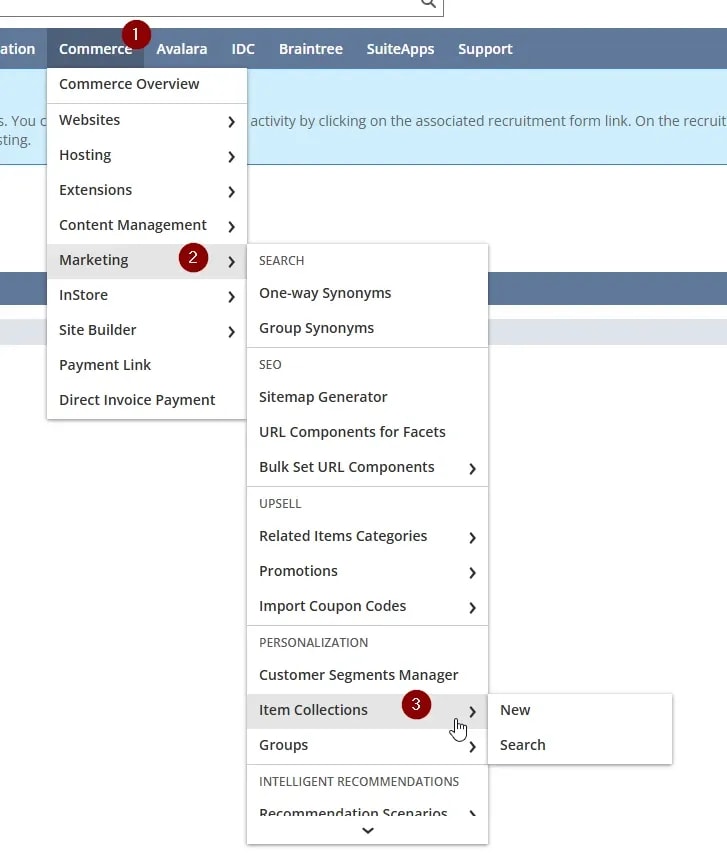
Problem: Item Collections Aren't Visible

Personalized Catalog Views require item collections and customer group records for proper setup. If the item collection records are not available, check the appropriate enabled features.

image - 2026-11-09T113635.837.webp

Solution: Check the Enabled Features

Note: Enabled features often have significant effects on a NetSuite environment. Always test newly enabled features in a sandbox to confirm any changes before enabling them in production.

  1. Use the following direct path to navigate to the Item Collections list:

    NetSuite_Account/app/common/itemcollection/itemcollections.nl

  2. If an error message appears, take note of it, as it may identify the missing enabled feature. In our case, the message indicated that the Inventory feature was not enabled.
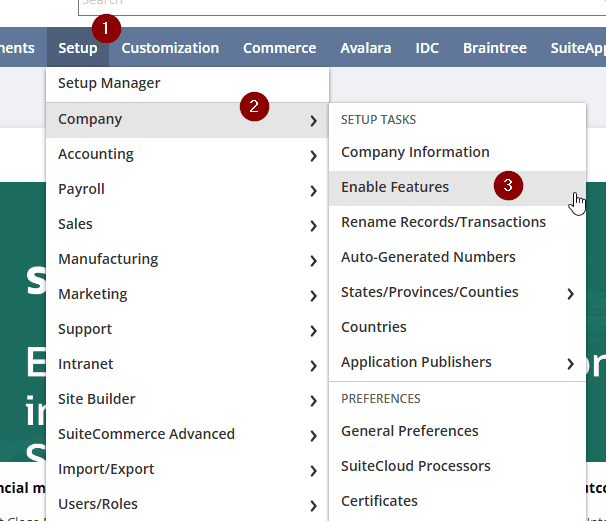
  3. Navigate to Setup > Company > Enable Features.
d4cf57d1-6fa1-46f2-838d-0fbda34d73b5.png

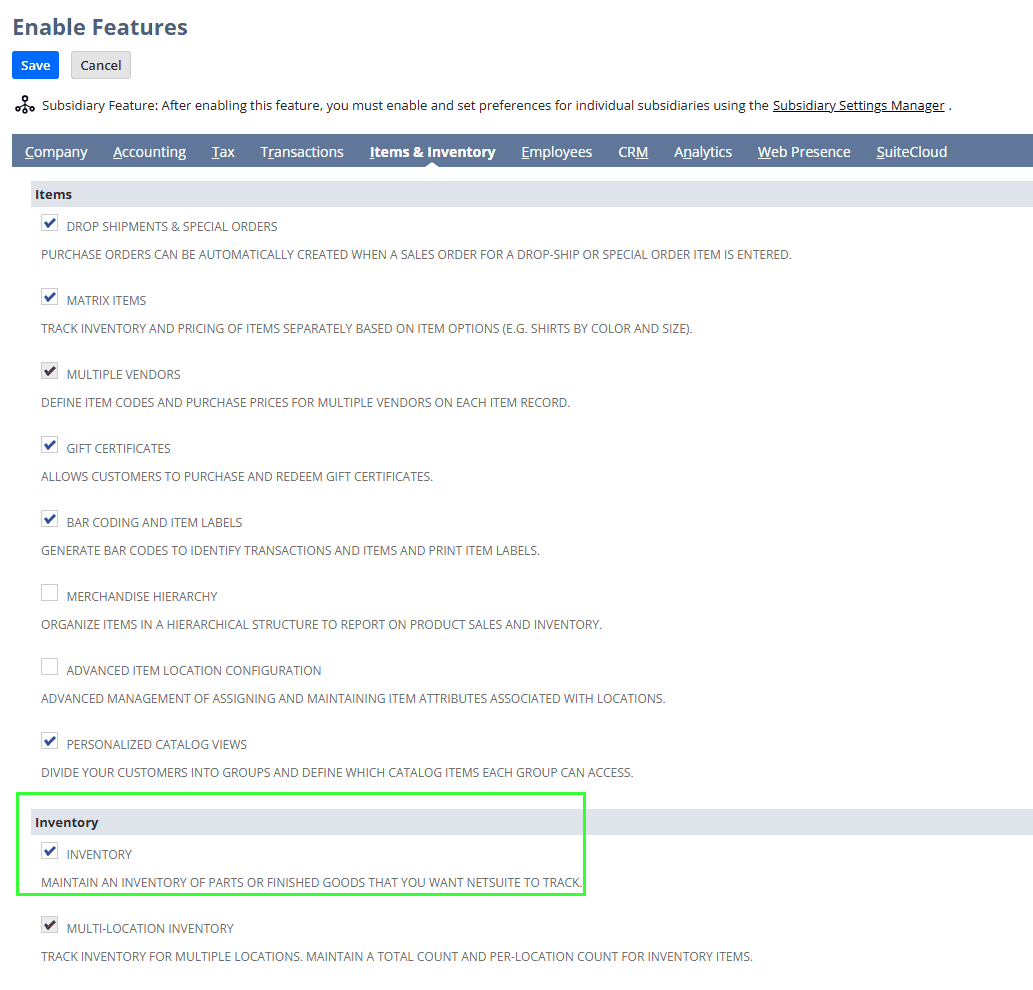
4. Open the Items & Inventory tab and enable the Inventory feature.

5. Save the record and confirm that Item Collections are now visible in the navigation.

a0e46fe6-e9c5-4af8-921c-60ffcef8fc86.png

Related Articles

Add Commerce Categories & NetSuite Items | CSV Import

Commerce categories are a native NetSuite feature to organize items in your SuiteCommerce site. Categories can be accessible through your site's navigation bar, and are also available under higher-level "parent" categories. However, if you have many items and many commerce categories, manually creating each individual record is time-consuming. Fortunately, we can use NetSuite's CSV Import feature to make the process more efficient.

Read the Article Example import new.

Tagged with Troubleshooting, Training