NetSuite Integration
NetSuite Checkout.com Integration
Connect Payment Processing and Reconciliation with NetSuite
Accept payments through Checkout.com while keeping your payment workflows connected to NetSuite. Anchor Group's NetSuite Checkout.com Integration helps businesses process credit card payments on sales orders, collect invoice payments through Payment Links, and use detailed payment data to support reconciliation. Connect your ERP to Checkout.com's global payments platform and configure the supported payment workflows around your business requirements.
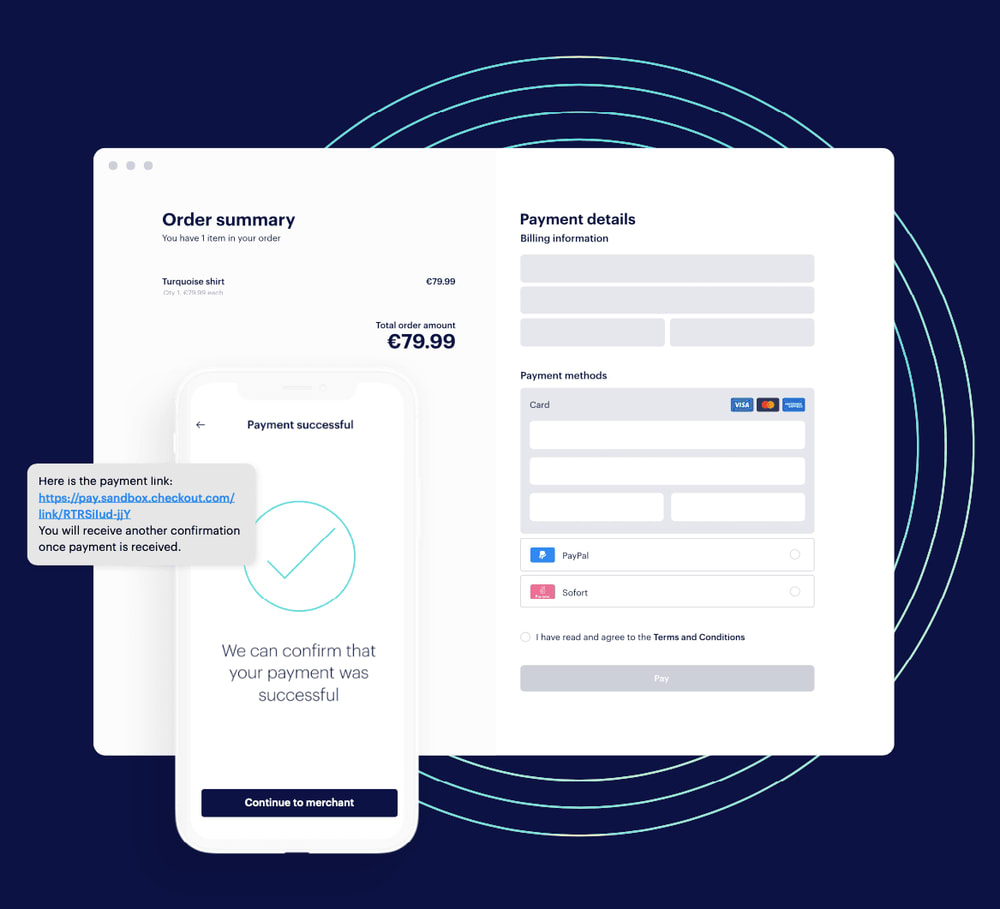
Connect NetSuite with Checkout.com's Payment Platform
Managing payments becomes more complicated when transactions are processed through one platform while orders, invoices, and accounting records are maintained in another.
Anchor Group's NetSuite Checkout.com Integration connects these systems to support payment processing and reconciliation workflows.
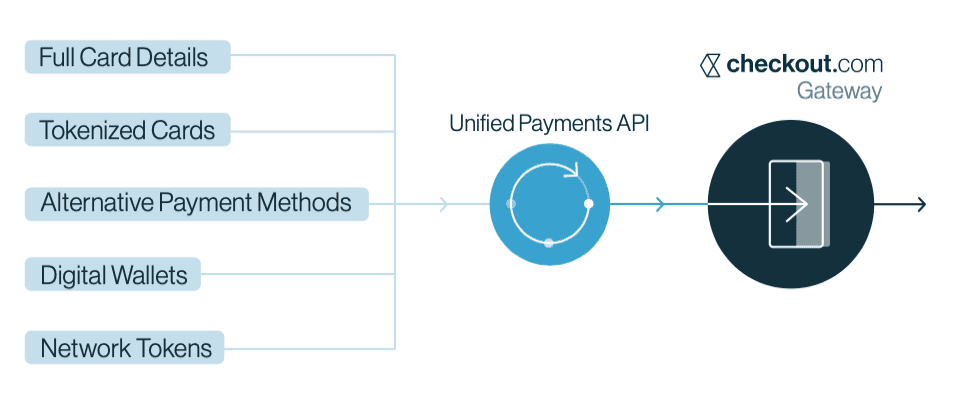
The integration uses Checkout.com's payments technology, including its Unified Payments API, to support configured payment activities associated with NetSuite transactions.
Businesses can use the solution for sales order credit card payments, invoicing with Payment Links, and reconciliation processes involving payment transaction and fee information.
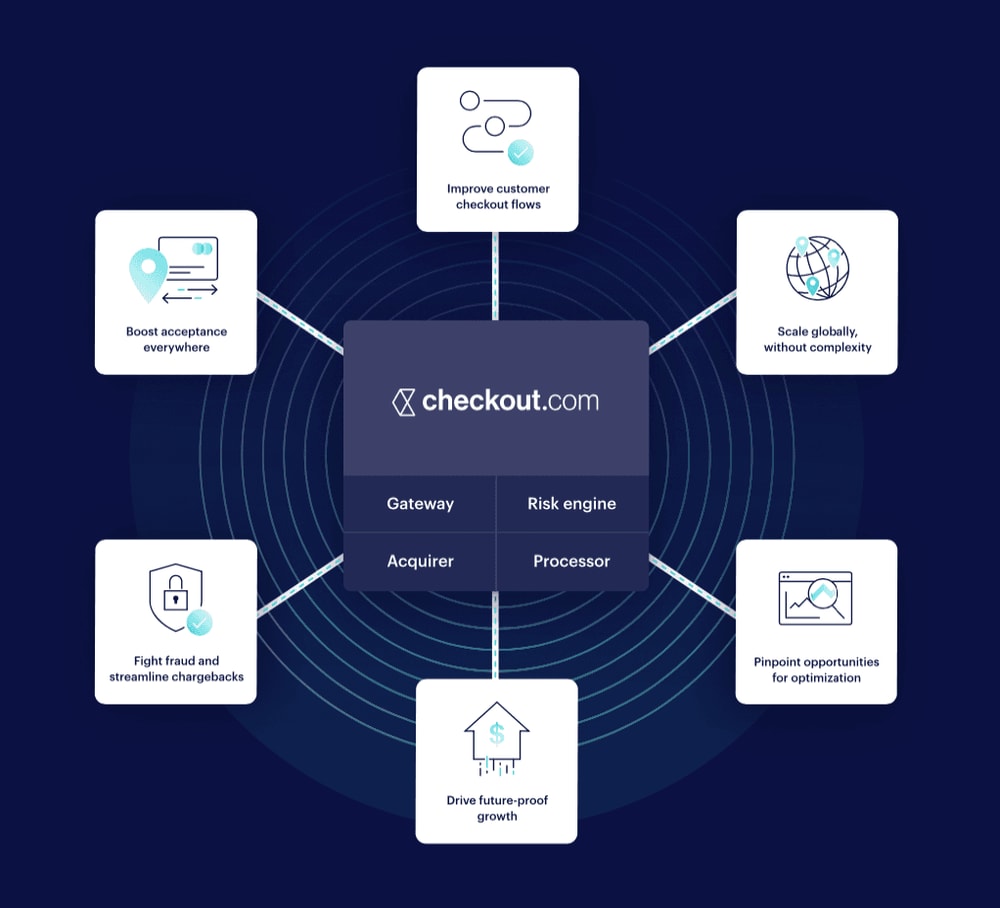
Checkout.com also offers a broader range of payment methods, fraud-management capabilities, and customizable payment experiences. Availability of those capabilities through your NetSuite implementation depends on your Checkout.com account and the functionality configured for the integration.
NetSuite Checkout.com Integration Features
Payment methods, processing tools, and advanced features vary by Checkout.com agreement and NetSuite integration configuration.

NetSuite payment processing: Connect NetSuite with Checkout.com to support configured payment workflows through a customizable SuiteBundle.
-
Sales order credit card payments: Process supported credit card payments in connection with NetSuite sales orders.
-
Invoicing with Payment Links: Use Checkout.com Payment Links to give customers a secure way to complete supported invoice payments.
-
Multiple payment methods: Access payment methods supported by Checkout.com and enabled for your account and integration configuration.
-
Unified Payments API connectivity: Connect with Checkout.com's API for supported payment-processing functions.
-
Payment transaction reporting: Use Checkout.com reporting to review transaction responses, payment activity, and other available processing details.
-
Reconciliation data: Access detailed payment and fee information to support matching Checkout.com activity with NetSuite transactions and bank settlements.
-
Payment Link configuration: Use supported Checkout.com options for sharing payment links and controlling their expiration.
-
Customizable payment experiences: Explore Checkout.com's configurable payment forms and payment-page options when included in your implementation scope.
-
Global payment capabilities: Support applicable international payment requirements through Checkout.com's available acquiring services and payment methods.
Who This NetSuite Checkout.com Integration Is For
Accounts Receivable Teams Collecting Invoice Payments
Customers may prefer to complete payments through a secure link rather than provide their card details over the phone or through email.
With Checkout.com Payment Links, businesses can offer customers a convenient way to complete payments through a Checkout.com-hosted page.
Why It Matters:
- Provide customers with secure invoice payment links.
- Share links through supported communication channels.
- Accommodate customers paying from different devices.
- Connect supported payment activity with NetSuite invoicing workflows.
Sales and Order Management Teams Processing Payments
Businesses processing NetSuite sales orders need a way to accept customer payments while keeping transactions organized in their ERP.
The Checkout.com integration supports credit card payment processing in connection with sales orders.
Why It Matters:
- Process supported credit card payments for NetSuite sales orders.
- Reduce the need to manage payment activity entirely outside the ERP.
- Connect payment processing with existing order workflows.
- Configure the integration around supported transaction requirements.
Finance Teams Managing Payment Reconciliation
Reconciliation becomes more involved when payment amounts, processing fees, and bank deposits need to be compared across different systems.
Checkout.com provides detailed transaction and reconciliation reporting that businesses can use alongside their NetSuite financial records.
Why It Matters:
- Review transaction and processing-fee information.
- Compare processed payments with NetSuite transactions.
- Support reconciliation of bank settlement amounts.
- Improve visibility into payment-processing costs.
Businesses Accepting Payments Across Markets
Companies operating internationally may need to accommodate different payment methods, currencies, and customer expectations.
Checkout.com's global payment platform provides payment-processing capabilities that can support these requirements, depending on merchant eligibility and integration configuration.
Why It Matters:
- Explore supported local and international payment methods.
- Accommodate payment preferences across different markets.
- Use available payment-performance data to evaluate processing activity.
- Coordinate configured payment workflows with NetSuite.
Collect Invoice Payments with Checkout.com Payment Links
Give Customers a Secure Way to Pay Through a Shared Link
Checkout.com Payment Links allow businesses to direct customers to a hosted payment page where they can complete a payment. Links can be shared through supported channels such as email, text messages, and other customer communications.
For businesses managing invoicing in NetSuite, the Checkout.com integration supports payment-link workflows that connect payment collection with the relevant ERP processes. Customers can open the link and complete their payment without needing to enter payment details directly into an emailed invoice.
Process Credit Card Payments on NetSuite Sales Orders
Connect Sales Order Payments with Checkout.com
The Checkout.com integration supports credit card payment processing for NetSuite sales orders. Through Checkout.com's Unified Payments API, businesses can use configured payment functionality to support their order-processing requirements.
The specific payment methods, transaction types, and additional payment capabilities available depend on the integration configuration and Checkout.com account.
Support NetSuite Payment Reconciliation with Detailed Data
Understand Payment Activity, Processing Fees, and Settlements
Finance teams need more than a payment confirmation to accurately reconcile transactions. Checkout.com provides detailed reporting on processed payments, transaction responses, fees, and settlement information. That data can be used to compare payment activity with NetSuite transactions and amounts deposited into bank accounts.
The NetSuite Checkout.com Integration supports connecting these payment processes with your ERP, while the specific reconciliation steps and level of automation depend on how the solution is configured.
NetSuite Checkout.com Integration Pricing and Implementation
- Annual integration subscription: $2,388 per year, billed annually ($199 per month equivalent).
- Configuration support: Up to five hours included with the initial purchase, available during the first 60 days.
- Implementation: An estimated four to six weeks for installation and testing, with final timing dependent on project requirements.
- Customization: Available based on your NetSuite environment and payment workflows.
- Free trial: Not currently offered.
NetSuite Checkout.com Integration FAQs

The integration connects NetSuite with Checkout.com's payments platform to support configured payment-processing workflows, including sales order credit card payments, invoicing with Payment Links, and payment reconciliation.
Yes. The integration supports credit card payment processing in connection with NetSuite sales orders.
The available payment methods and processing behavior depend on your configuration and Checkout.com account.
The integration supports invoicing with Checkout.com Payment Links. Customers can use a hosted payment page to complete payments through supported methods.
The exact NetSuite payment-recording and invoice-application workflow should be confirmed during implementation.
Checkout.com offers a range of card, wallet, and local payment methods.
The methods available to your business depend on your market, merchant agreement, and integration configuration. Not every payment method is necessarily available through the standard NetSuite SuiteBundle.
Checkout.com provides detailed transaction, fee, and settlement data that can support reconciliation with NetSuite.
The specific reconciliation functionality and any automated matching behavior depend on the integration configuration.

Bring Your Payment Workflows Together in NetSuite
Connect sales order payments, invoice collection, and reconciliation with your ERP. Whether you want to offer customers Payment Links, process credit card payments through sales orders, or improve visibility into payment reconciliation, Anchor Group can help you configure the NetSuite Checkout.com Integration around your business requirements. Tell us how you currently accept and reconcile payments, and we'll help determine the right setup.




Need something a little different?
If you’re not seeing the exact fit you need, no worries—we also build affordable custom solutions to fit your business, your workflows, and the way your team actually works.
Reach out and let’s build a solution that fits like it ought to.
