24 SEO in E-commerce Statistics: Essential Data for Online Retailers in 2025
Comprehensive data compiled from extensive research on search engine optimization performance, ROI, and emerging trends shaping the e-commerce landscape
Read the Article

An XML sitemap helps search engines discover important URLs on your ecommerce website, including product pages, commerce categories, and content pages.
If you're migrating to SuiteCommerce or adding new content to an existing store, keeping your sitemap updated can help search engines find the pages you want them to crawl.
NetSuite provides a native Site Map Generator that can create XML sitemaps for SuiteCommerce websites. You can also configure which types of pages are included, add URLs manually, and schedule sitemap generation.
Here's how to set it up.
An XML sitemap is a file that lists URLs on your website for search engines to discover.
For a SuiteCommerce store, this may include:
A sitemap is particularly useful during a website migration, when you're transferring content and URLs from another ecommerce platform to SuiteCommerce.
It can also help you review which URLs your site is presenting to search engines.
However, including a URL in a sitemap does not guarantee that Google or another search engine will index it.
Before generating a sitemap, review the visibility and configuration of your item and commerce category records.
NetSuite uses information from these records when determining which URLs to include.
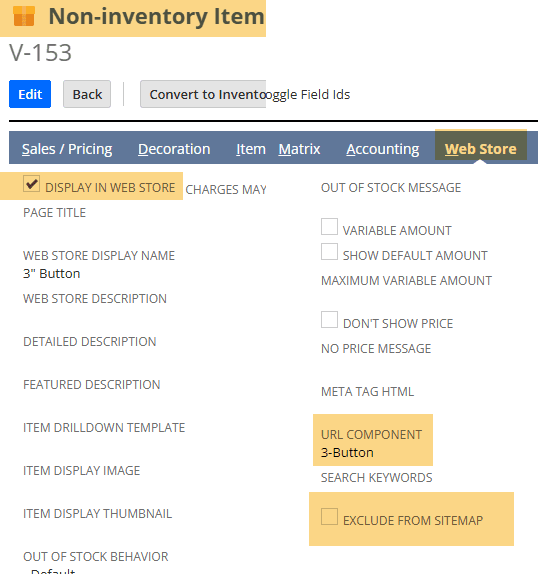
For product pages, review the relevant item settings, including:
Items that aren't intended to be accessible through the storefront generally shouldn't be included in the XML sitemap.
For stores using matrix items, the sitemap generator may include the parent item's URL rather than separate URLs for every child item.
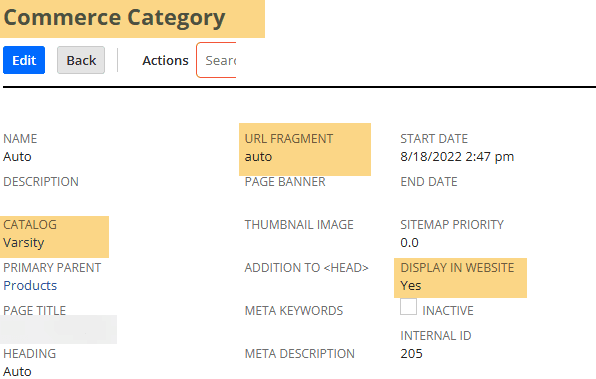
For commerce categories, review:
These settings help determine which category and subcategory URLs are eligible for inclusion.
An item going out of stock does not necessarily remove its URL from the sitemap.
This can be appropriate when the product page remains accessible and customers can still view product information.
If your business removes unavailable products from the storefront, review how those item settings affect both the website and sitemap.
Navigate to:
Commerce > Marketing > SEO > Site Map Generator
The Site Map Generator displays the available website domains.
Select the domain for which you want to generate an XML sitemap.
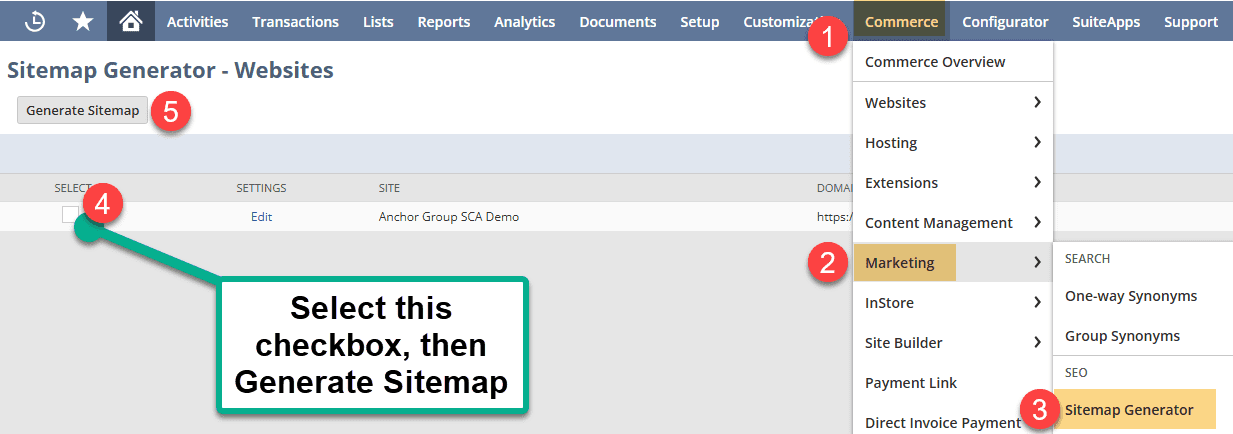
Select the checkbox beside the desired domain and click Generate Site Map.
NetSuite will begin generating the XML sitemap for that domain.
After starting the process, return to the Site Map Generator and review the status.
You may need to refresh the page while NetSuite processes the sitemap.
When generation is complete, the status should display Generated.

If the sitemap doesn't generate successfully, review the status message for more information.
NetSuite may display additional details that help identify configuration issues.
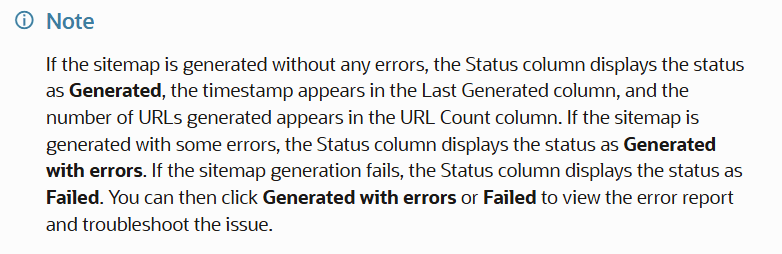
Once generation succeeds, use View Files to access the generated files in the NetSuite File Cabinet.

By default, the sitemap generator can include the homepage, eligible item URLs, and commerce category URLs.
However, content pages created through Site Management Tools may require an additional setting.
This is particularly important when migrating content landing pages from another ecommerce platform.
To include SMT pages:
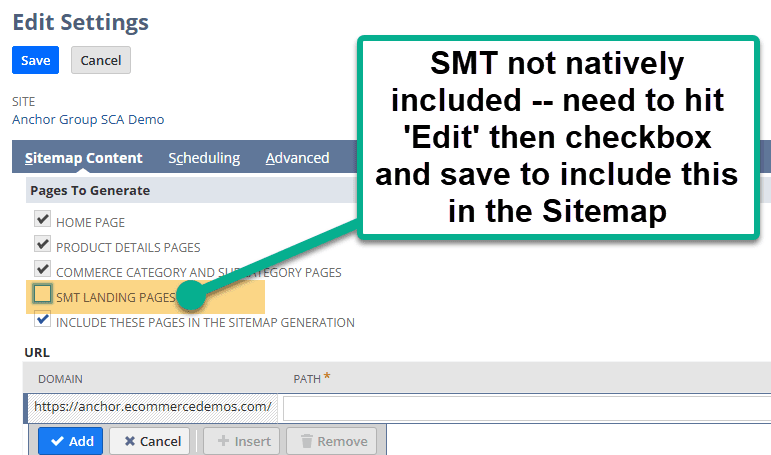
The selected SMT pages can then be included during the next sitemap generation.
If you don't want to include every SMT page, the sitemap settings also provide a way to configure URLs manually.
This is useful when you want to include a specific content page without automatically adding all SMT content.
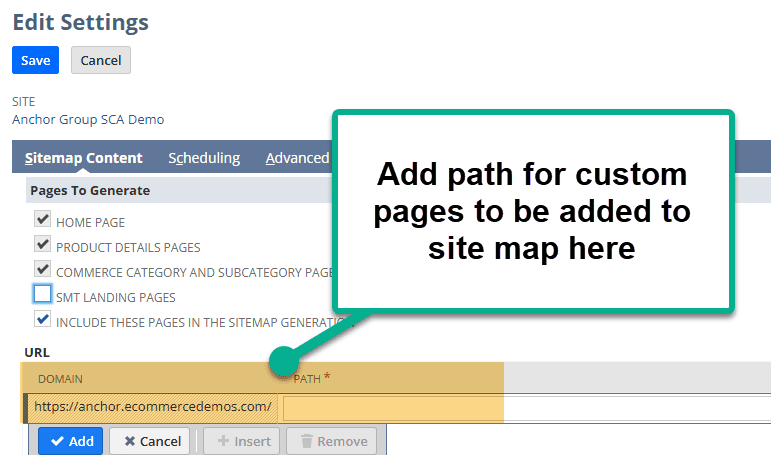
After saving the changes, regenerate the sitemap to include the updated URL selection.
You don't have to generate the XML sitemap manually every time your website changes.
NetSuite provides scheduling options for sitemap generation.
To configure a schedule:
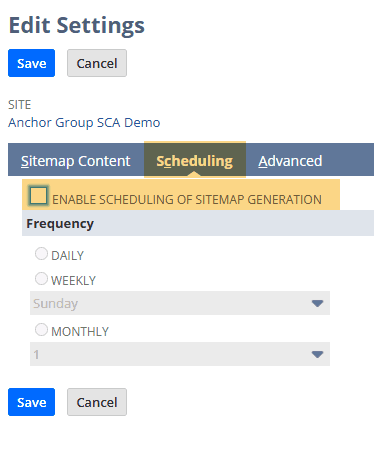
Scheduled generation can help keep the sitemap aligned with changes to your storefront, including newly published products, updated categories, and eligible content pages.
The appropriate frequency depends on how often your website changes.
The Site Map Generator also includes an Advanced tab.
These settings allow you to configure additional sitemap metadata.
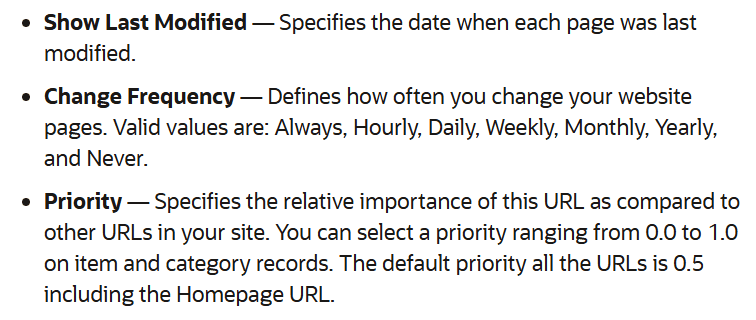
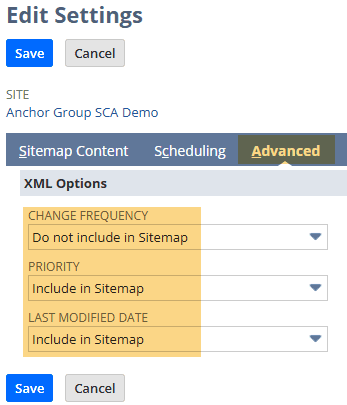
Depending on the available settings, sitemap metadata may describe how frequently content changes or indicate relative URL priority.
These values are hints rather than guarantees of crawling or indexing behavior.
For example, Google does not use XML sitemap priority or changefreq values when determining how to crawl pages.
The most important consideration is that the sitemap contains the correct canonical, indexable URLs.
After generation, return to the Site Map Generator and click View Files.
This opens the generated sitemap files in the File Cabinet.
Locate the XML sitemap associated with your website's domain.

Open the file and verify that it contains the expected URLs.
Check that:
The generated file's URL can also help you determine where the sitemap is accessible publicly.
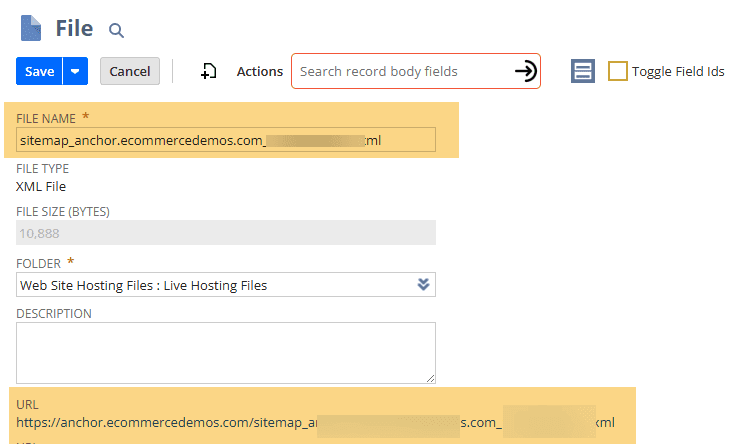
Once the XML sitemap is publicly accessible, you can submit its URL through Google Search Console.
This helps Google discover the sitemap and provides reporting about whether Google can read it.
You can also reference the sitemap URL in your website's robots.txt file where appropriate.

An XML sitemap is intended primarily for search engines.
A link to the XML file in your website footer isn't required for search engines to discover it.
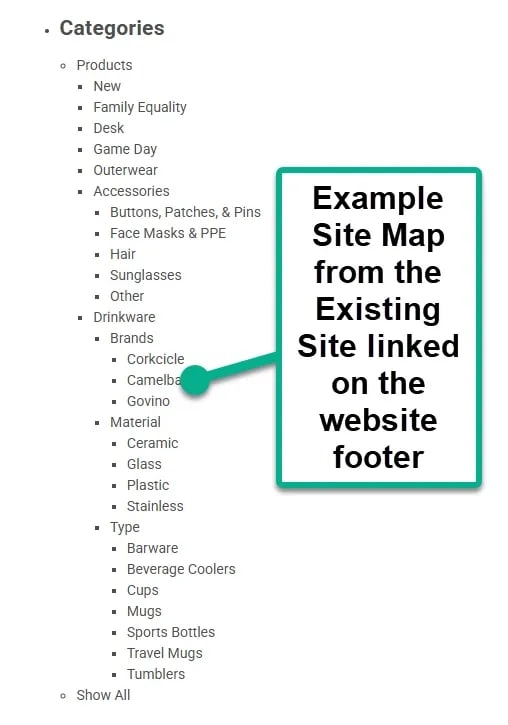
If you want to provide visitors with a browsable list of website pages, an HTML sitemap is usually a better option.
HTML sitemaps and XML sitemaps serve different purposes:
| XML sitemap | HTML sitemap |
|---|---|
| Designed for search engines | Designed for website visitors |
| Uses XML format | Uses a regular webpage |
| Helps search engines discover URLs | Helps visitors navigate website content |
| Can be submitted to Google Search Console | Can be linked from the website footer |
For most SuiteCommerce stores, the priority should be generating a correct XML sitemap, keeping it updated, and ensuring search engines can access it.
NetSuite's Site Map Generator provides a way to create and maintain XML sitemaps for SuiteCommerce websites.
By reviewing item and category eligibility, enabling SMT content where appropriate, and scheduling sitemap generation, you can make it easier for search engines to discover important storefront URLs.
For stores migrating from another platform, sitemap configuration is also a useful part of the broader SEO migration process.
A well-maintained sitemap won't guarantee search rankings, but it helps ensure that your website presents search engines with an accurate list of pages available for crawling.
Related Articles
Tagged with Training