Adding Multiple Image Files | NetSuite File Cabinet
This article outlines how to utilize the Advanced Add feature in the NetSuite File Cabinet to upload multiple image files into NetSuite at once.
Read the Article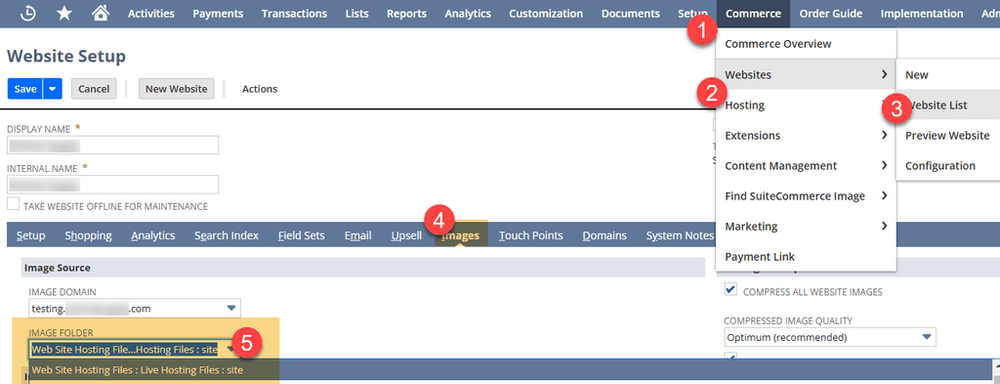

When generating a PDF using NetSuite's renderAsPdf() method, the resulting file may have the default name report.pdf.
If you're attaching that PDF to an automated email, a more descriptive filename can make it easier for recipients to identify the document.
Fortunately, you can rename the PDF with a single line of SuiteScript before sending the email.
The renderAsPdf() method generates a PDF and returns a NetSuite file.File object.
That object includes a name property, which you can update before passing the file to email.send().
For example, if you're emailing a PDF generated from a sales order, you might want the attachment to include the sales order number instead of the generic filename.
The following example generates a PDF from an Advanced PDF/HTML template, assigns a new filename, and attaches it to an email.
const renderer = render.create();

renderer.setTemplateById({
    id: attachmentTemplateId
});

renderer.addRecord({
    templateName: 'record',
    record: salesOrderRec
});

const attachmentFile = renderer.renderAsPdf();

// Rename the PDF before attaching it
attachmentFile.name = 'better_named_file.pdf';

email.send({
    author: emailAuthorId,
    recipients: recipient,
    subject: emailTemplateMergeResult.subject,
    body: emailTemplateMergeResult.body,
    attachments: [attachmentFile]
});
The key line is:
attachmentFile.name = 'better_named_file.pdf';Because attachmentFile is a NetSuite file.File object, you can update its name property directly.
The renamed PDF is then included in the email's attachments.
You can also create a filename dynamically using information from the transaction.
For example:
const salesOrderNumber = salesOrderRec.getValue({
    fieldId: 'tranid'
});

attachmentFile.name =
    `Sales_Order_Delayed_${salesOrderNumber}.pdf`;
This produces an attachment name such as:
Sales_Order_Delayed_SO12345.pdf
Using the transaction number makes the attachment easier to recognize, especially when recipients receive multiple sales order emails.
If your SuiteScript-generated PDF attachment is named report.pdf, you don't need to change the Advanced PDF/HTML template to rename it.
Simply update the name property of the file returned by renderAsPdf() before passing it to email.send().
It's a small change that can make automated NetSuite emails easier for customers and employees to understand.
Related Articles
Tagged with Training