BigCommerce NetSuite Connector Payment Method Troubleshooting
Are your NetSuite Payment Instruments failing to populate in the NetSuite Connector interface? Follow these steps to resolve the issue!
Read the Article
One of our SuiteCommerce customers wanted to restrict the payment methods available during checkout based on a field in the customer's NetSuite record.
In this customer's environment, payment methods such as credit cards, debit cards, ACH, and invoices were available across the configured domains. However, the customer needed more control over which payment options shoppers could use.
Anchor Group developed a custom SuiteCommerce extension to address this requirement. In this implementation, the extension uses the customer's Terms field to determine whether the Invoice or Credit Card / Debit Card payment method appears during checkout.
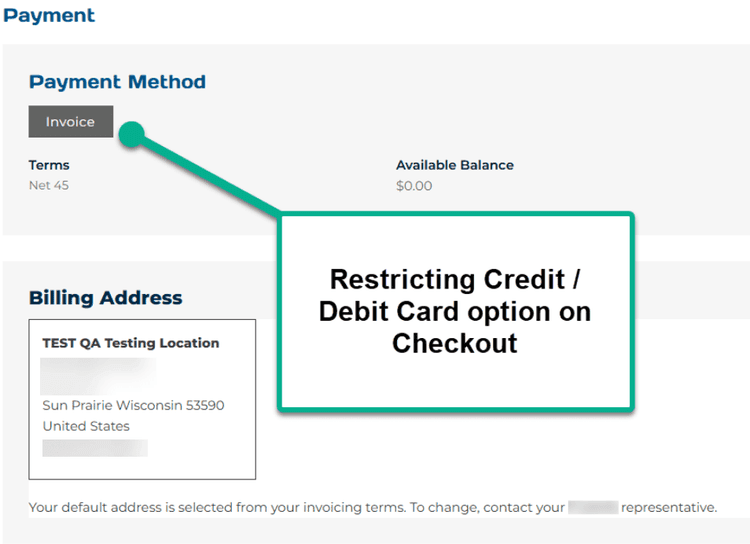
The extension checks the Terms field on the NetSuite customer record:
The extension also includes changes to how billing addresses appear during checkout, based on this customer's requirements.
After an Anchor Group developer installs the extension, follow these steps to configure it.
Navigate to the Extension Manager:
Commerce > Extensions > Extension Manager
Select Edit for the desired site and domain.
Check the Free Pickup and Hide Shipping extension checkbox and click the blue Activate button.

While the Extension Manager finishes activating, navigate to the NetSuite customer record and enter Edit mode.
Open the Financial tab.
Populate the Terms field with the appropriate terms and save the customer record.

Navigate to the webstore, add an item to the cart, and select Proceed to Checkout.
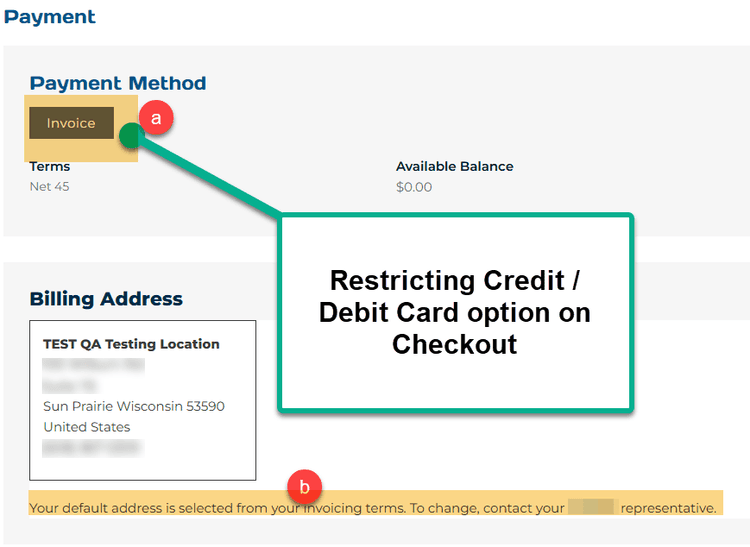
On the checkout information page, only the Invoice payment method should appear for the customer whose Terms field is populated.
The extension also changes the billing address options.
Normally, shoppers can select a different billing address or edit or remove an existing address. For this implementation, the customer wanted only the company's default billing address displayed.
The extension also displays a message explaining how shoppers can request a billing address change.
To display only the Credit Card / Debit Card payment method, clear the value in the Terms field on the NetSuite customer record.
Save the record and return to checkout to verify that the available payment option has changed.
This example demonstrates how a custom SuiteCommerce extension can control which payment methods appear during checkout based on information in NetSuite customer records.
The specific configuration and available payment options depend on the extension implemented for your store.
Related Articles
Tagged with Training